
Google Authenticator generates 2-Step Verification codes on your mobile device. This additional layer of security helps protect your account by requiring both your password and a time-based code generated by the Google Authenticator app when signing in. It ensures stronger protection for user accounts and sensitive organisational data.

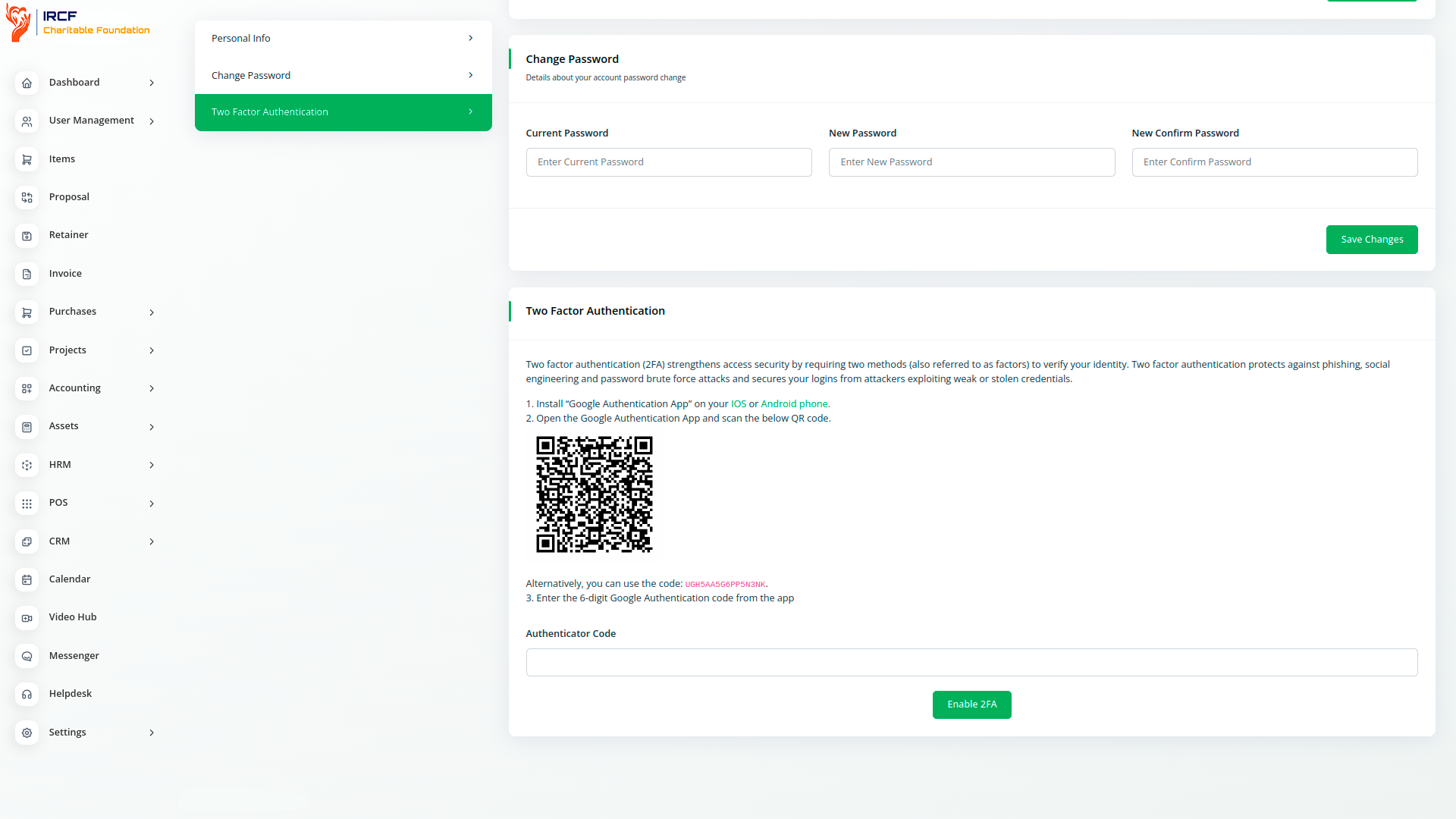
Google Authenticator is a mobile security application that provides Two-Factor Authentication (2FA) to help verify user identities before granting access to systems and services. By requiring both a password and a time-based code generated on a user's phone, it adds an extra layer of protection. This significantly reduces the risk of unauthorised access and enhances the overall security of your organisation’s data and platforms.
Google Authenticator is the application based on two-factor Authentication (2FA) that helps for identifying user identity and the confirmation on what a user claims to be and whether he actually is.
Google Authenticator is used for two-step verification based on Time-based One Time Password(TOTP) and HMAC-based One Time Password(HOTP) for authenticating users.
TOTP is an algorithm that computes a one-time password from a shared secret key and the current time. HTOP is an algorithm which uses hmac algorithm to generate one-time password.
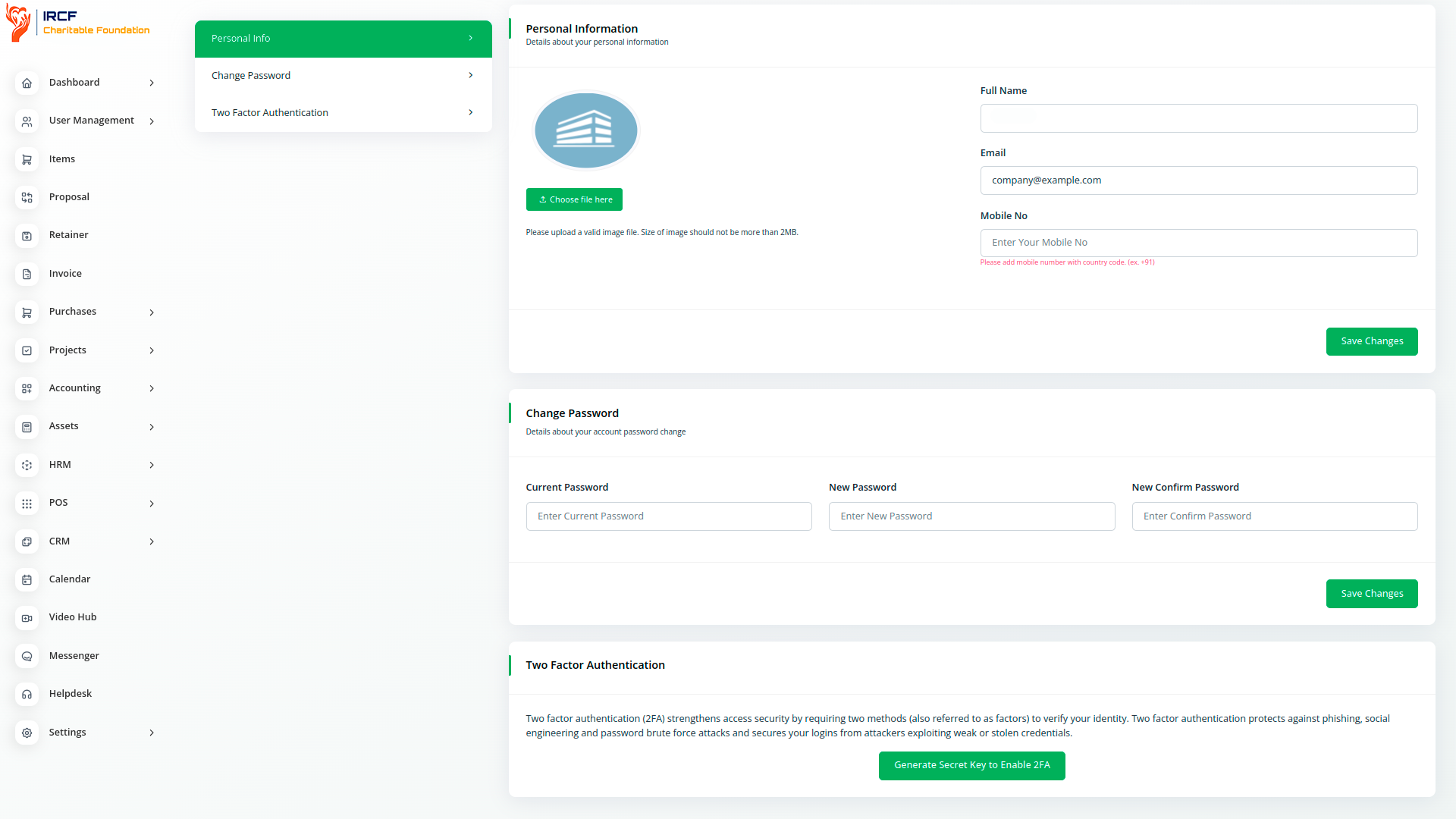
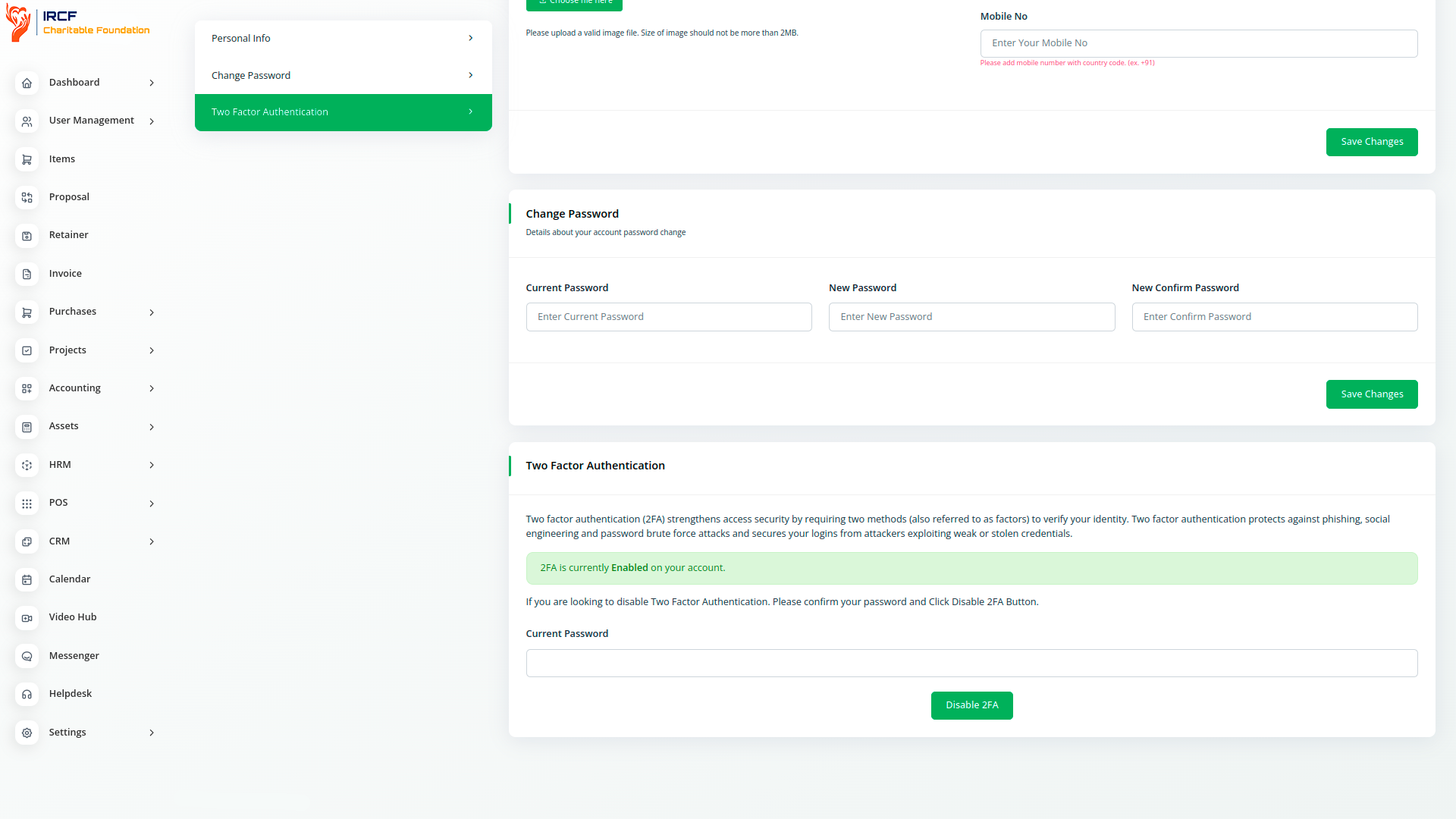
Two-factor authentication (2FA) significantly reduces the risk of unauthorised access by requiring two types of verification. Authentication factors are categories of credentials used to confirm a user's identity. These fall into three main types:
Knowledge factors – something the user knows, such as a password or PIN.
Possession factors – something the user has, such as a mobile phone or security token.
Inherence factors – something the user is, such as a fingerprint or facial recognition.
By combining at least two of these factors, 2FA adds an extra layer of security to protect systems and sensitive information from potential threats.
With IRCF Workspace, you can conveniently manage all your organisation’s operations, programmes, and administrative functions from a single location.
Access a full suite of advanced add-ons for Accounting, Volunteer Management, Donation Processing, Outreach, Communication, Programme Coordination, and more — all in one central platform!
With IRCF Workspace, you can conveniently manage all your organisation’s programmes, operations, and administrative functions from a single location.


