
The Grant Management System (GMS) is a comprehensive, end-to-end platform developed to streamline and control the entire grant lifecycle — from program setup and public application intake to evaluation, disbursement, and real-time reporting.
Designed for governments, NGOs, and community-focused institutions, GMS simplifies internal workflows using intuitive forms and automated validation checks, reducing administrative burden while improving transparency and audit readiness.
With built-in compliance controls, role-based access, financial tracking, and document verification, the system ensures that all grant-related activities align with both international standards and local regulations.
The IRCF Grant Management System supports single and multi-round grant cycles, integrates with donor reporting tools, and provides full visibility over each project — ensuring accountability, security, and measurable social impact at scale.
Integrated within IRCF Workspace, GMS functions in coordination with budgeting, reporting, and programme modules to support cross-functional efficiency and data-driven oversight.

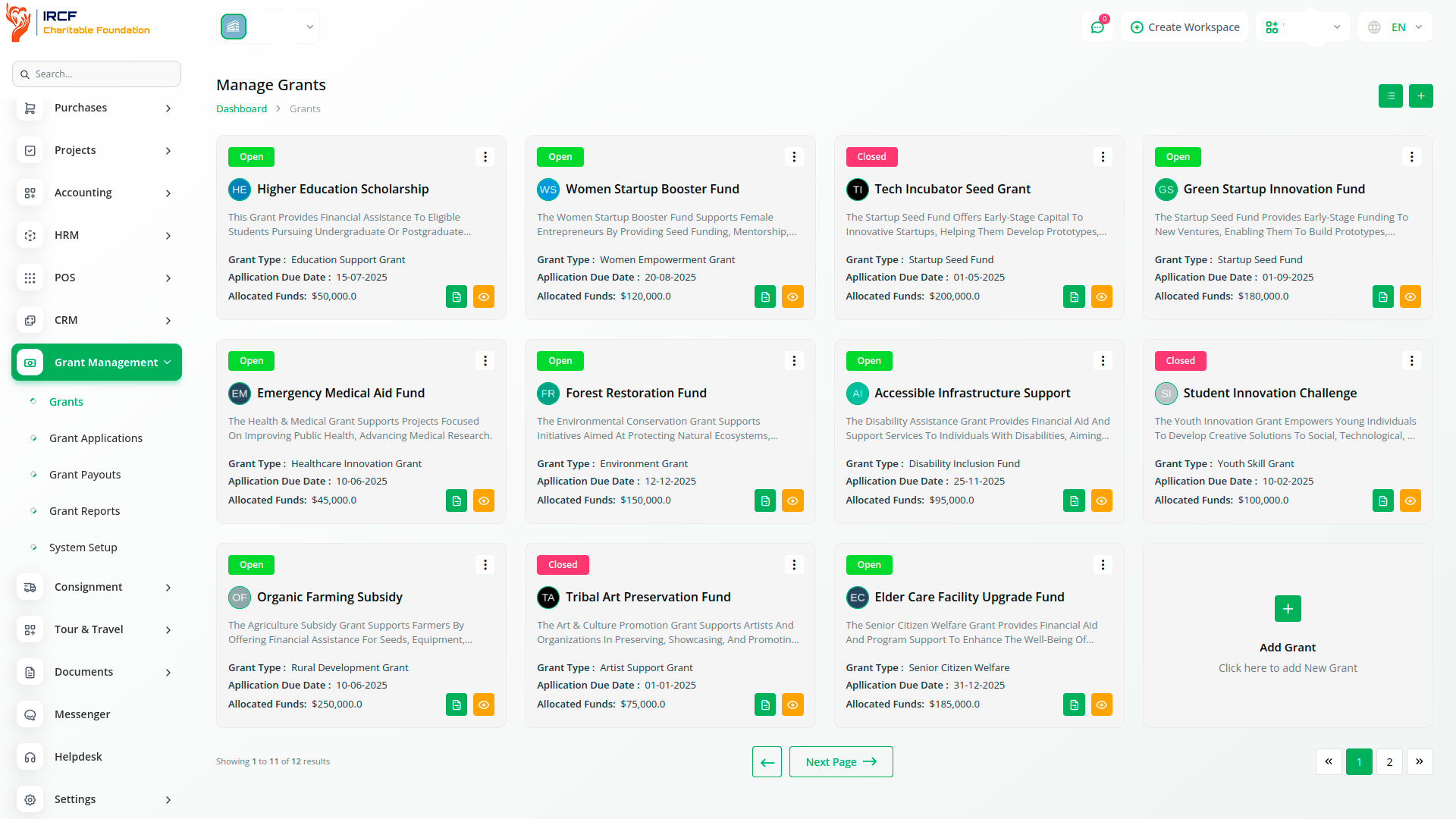
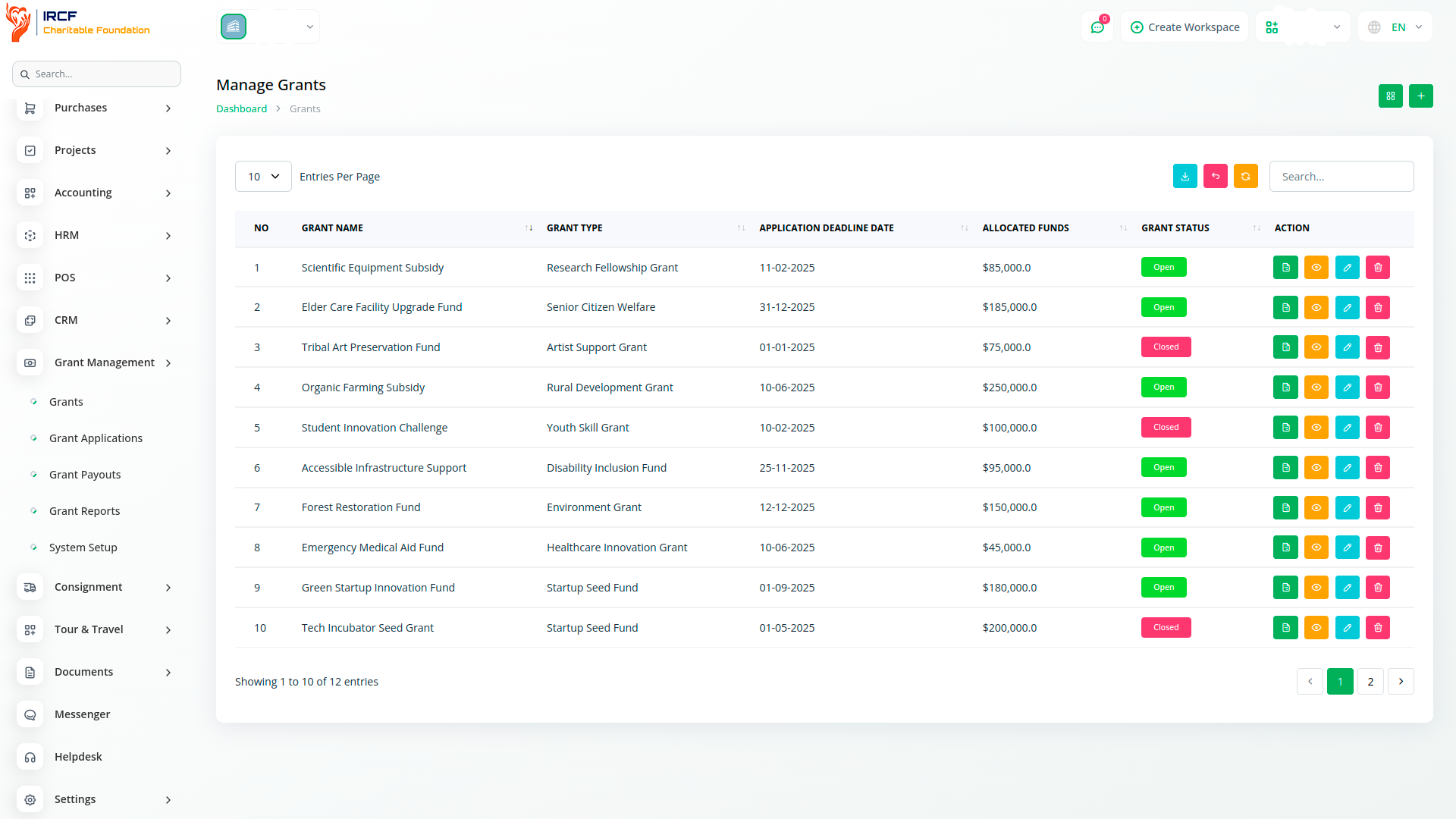
Manage every step of the grant process — from creation to completion — through a centralised workspace.
Set up grants by defining type, description, total budget, required documents, and deadlines.
Open or close grant applications, assign internal administrators, and monitor status in either grid or list views.
The system enables structured, auditable, and fair grant distribution workflows for all organisation types.
Administrators can configure and publish grants using predefined fields: name, type, deadline, amount, and documentation requirements.
Grants can be labelled as Open or Closed, and are linked to document types and grant types set up in the system.
Each grant includes a searchable record with budget, type, and deadline visibility — simplifying oversight and reporting.
All actions, including create, edit, view, delete, and export, are accessible through a secure role-based interface.
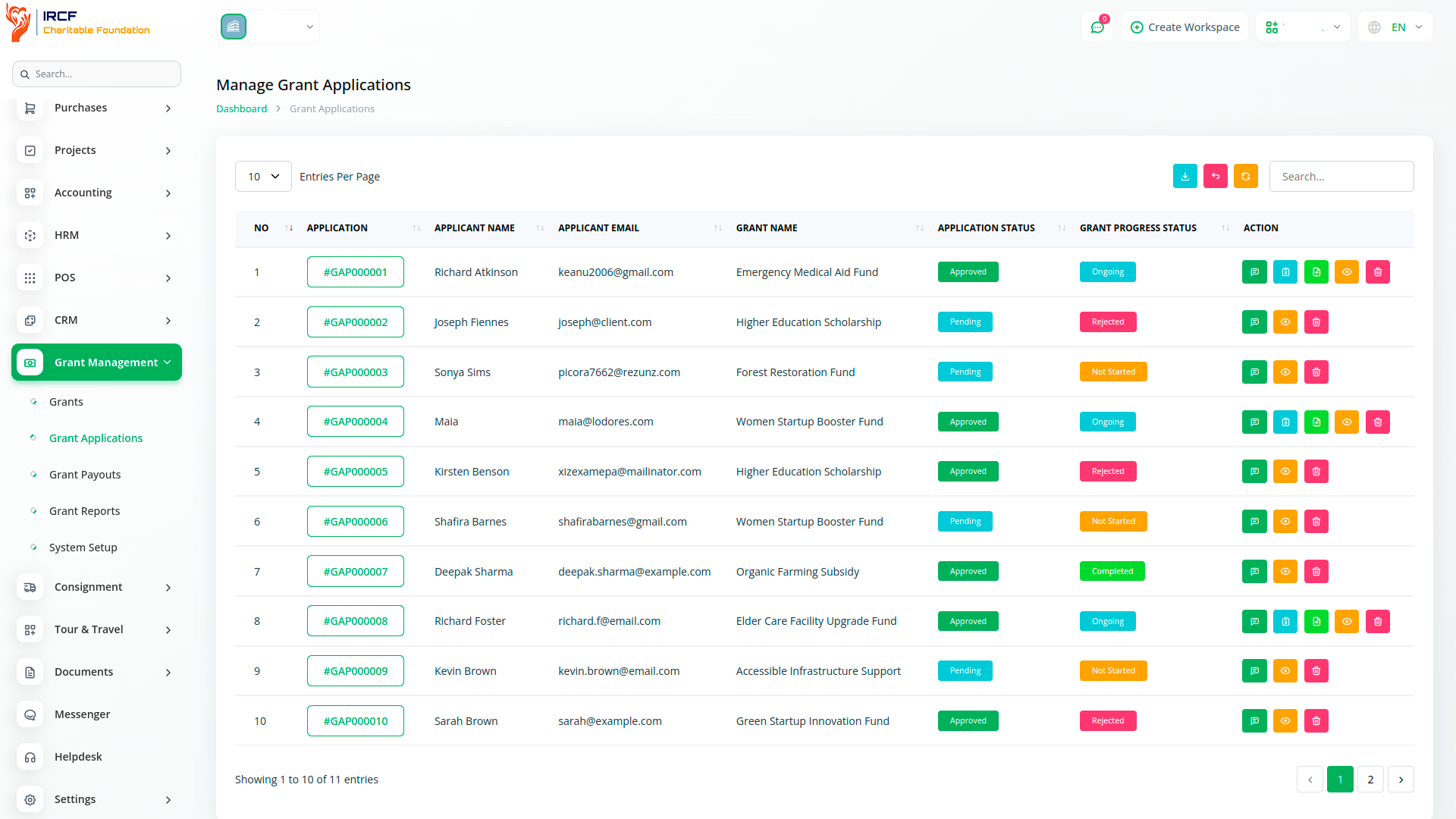
Applicants can complete grant forms that include personal and location details such as full name, address, email, date of birth, phone number, gender, and required documents.
All applications are linked to specific grants and statuses such as Pending, Approved, Rejected.
Users can upload files, view their own submissions, and track progress in real time.
The system ensures structured data capture for each applicant and maintains application integrity through role-based access control.
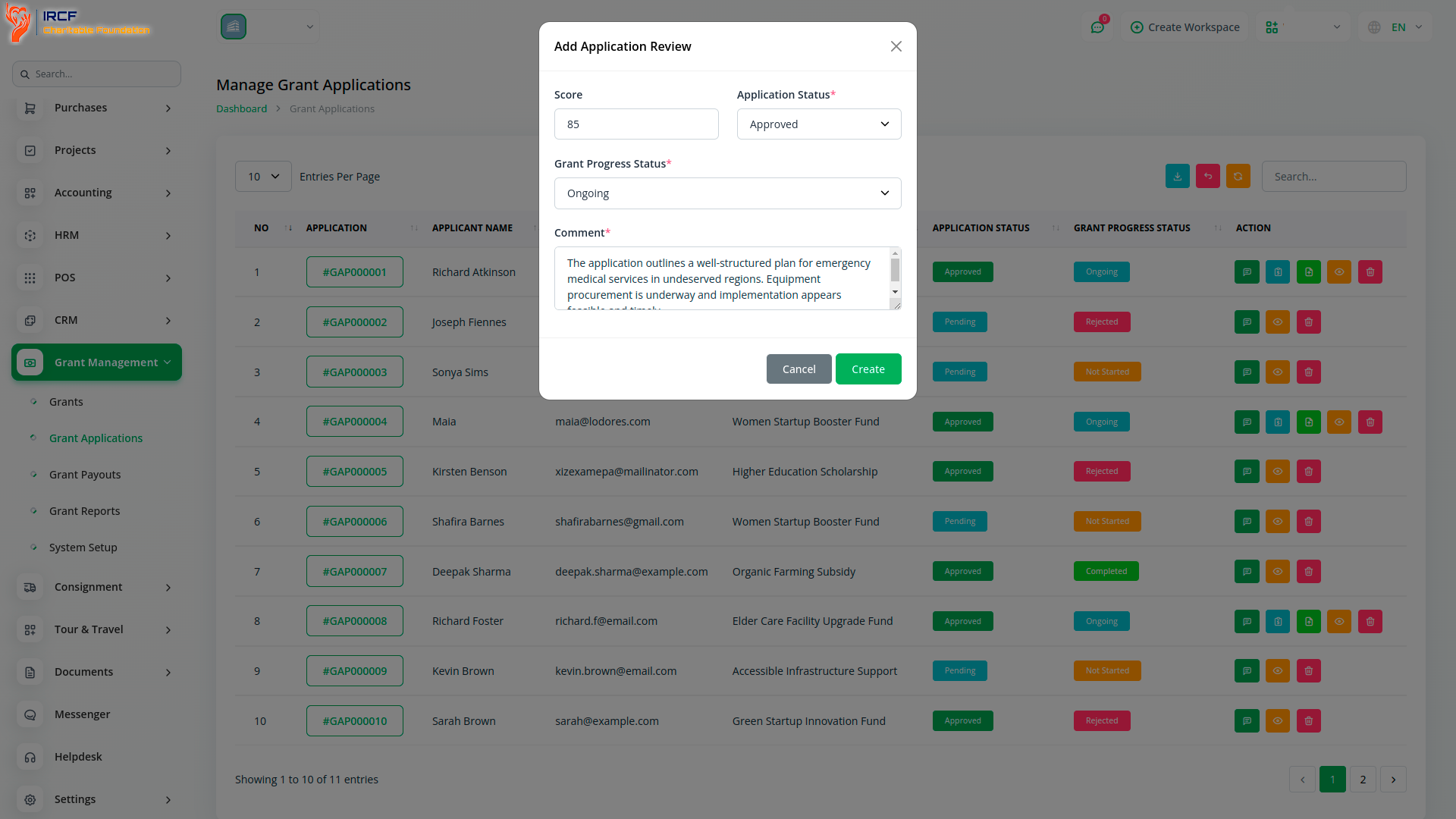
Administrators can open a structured Review Form for each application.
Fields include: numeric score, application status (Pending, Approved, Rejected), grant progress status (Not Started, Ongoing, Completed, Rejected), and optional reviewer comments.
After approval, additional options become available: Grant Payment and Report Submission.
All status updates are stored in the application record, visible to the applicant for full transparency.
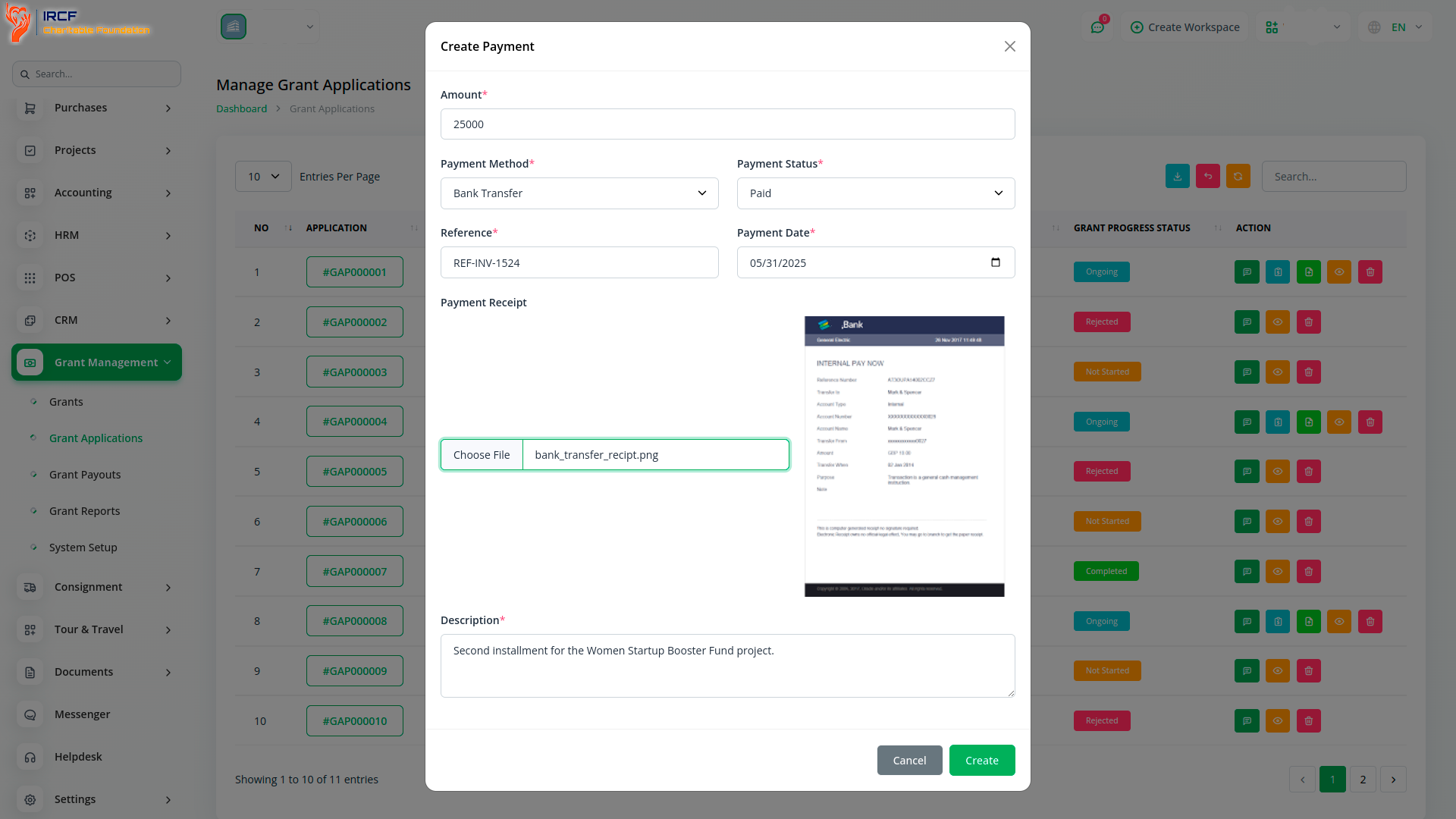
The “Add Grant Payment” function enables administrators to record disbursements per application.
Required payment details include: amount, method (cash, bank transfer, cheque, other), status (Pending, Paid), date, reference, receipt upload, and internal description.
All disbursements are linked to specific grant applications and visible in the Grant Payouts tab.
Applicants can only view their own disbursements and associated payment receipts.
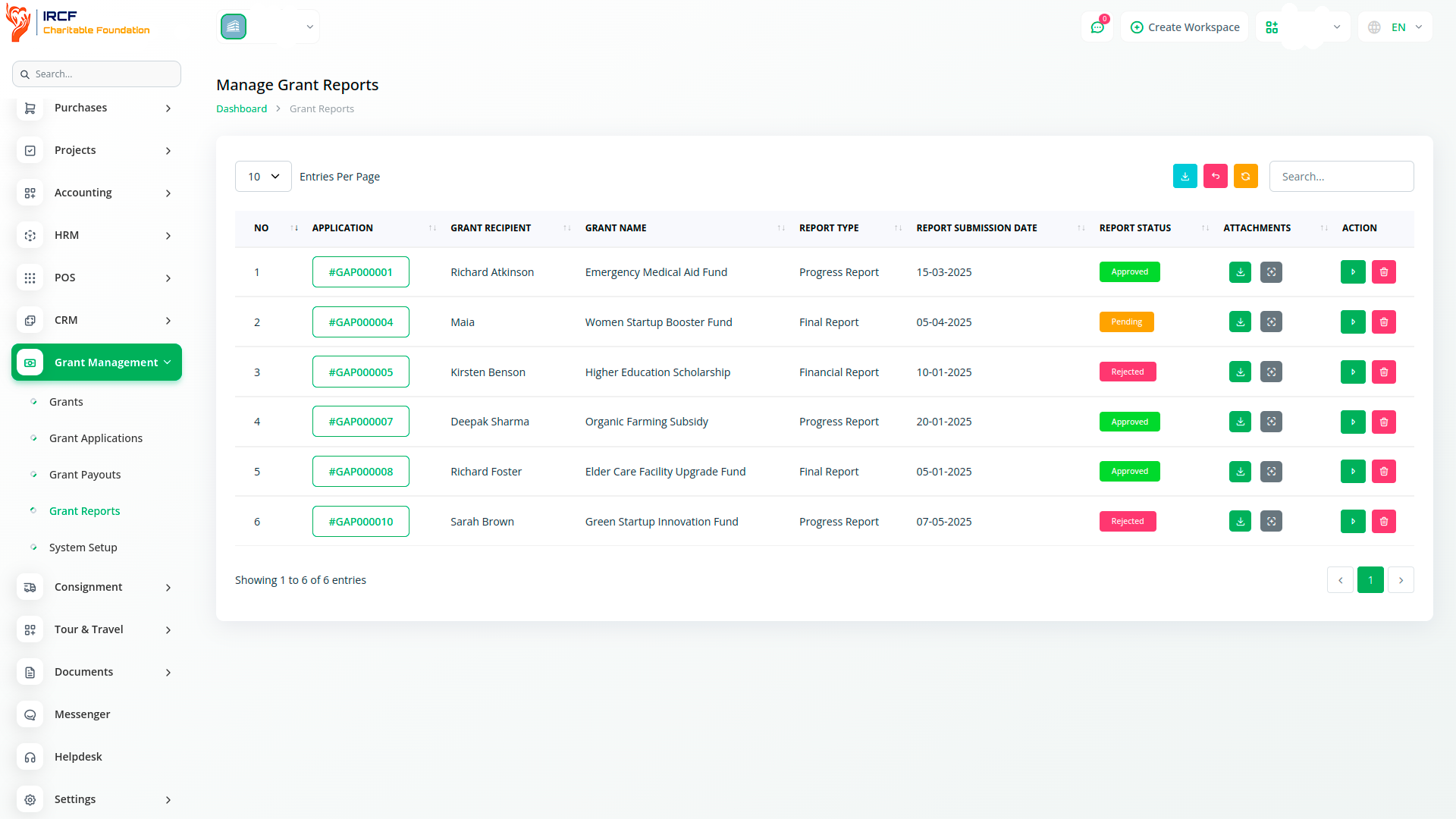
Approved applicants can submit required grant reports — including financial, progress, final, or audit reports — using the “Add Grant Report” form.
Each report includes: type, submission date, attached file, and optional notes.
Reports are linked to specific applications and reviewed by administrators, who can set their status as Pending, Approved, or Rejected.
Once all reports are submitted and approved, the grant progress status can be updated to “Completed” in the Application Review panel.
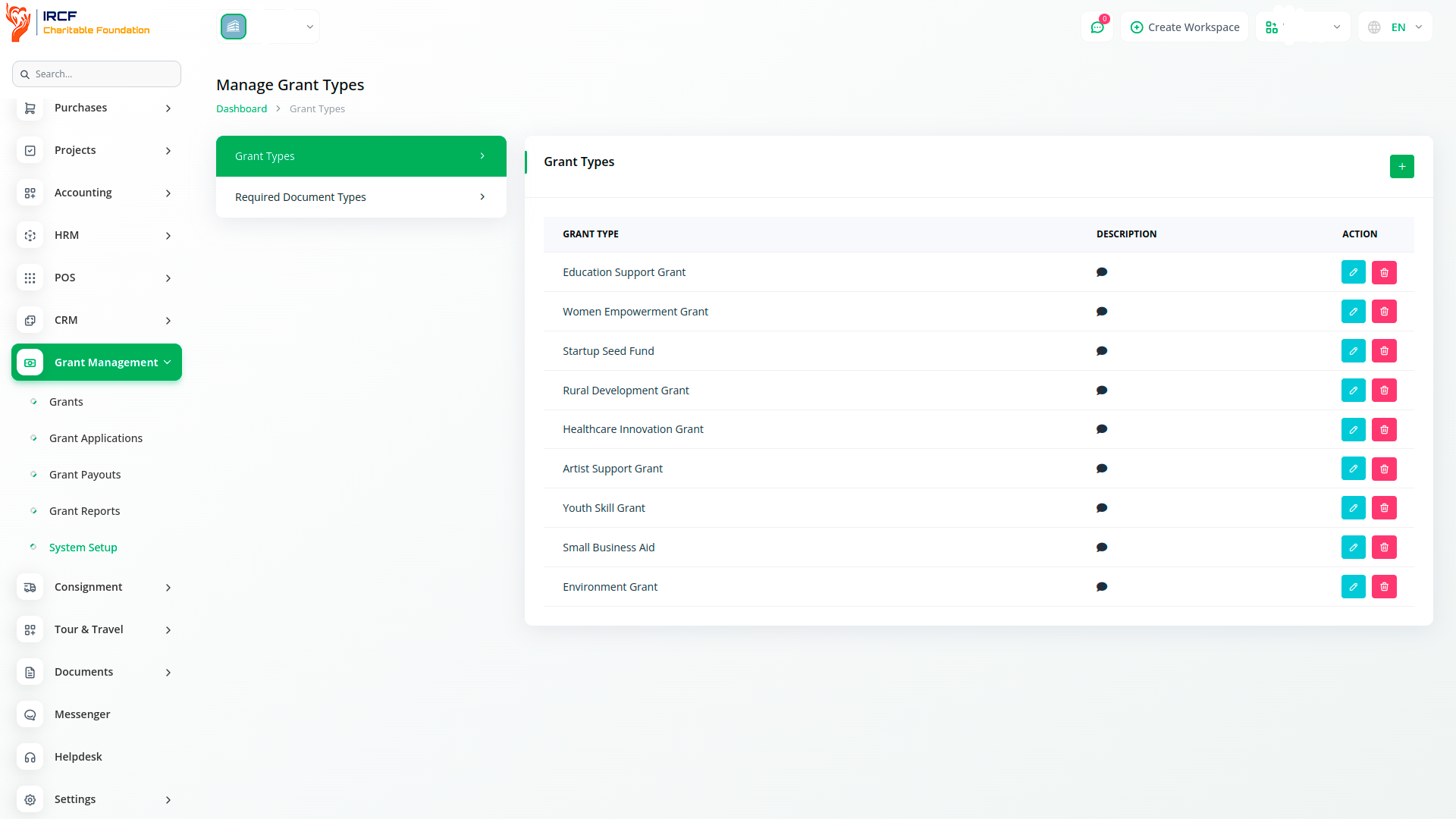
Administrators can define and manage grant categories using the “Grant Types” configuration.
Each type includes a name and a description, and can be edited or removed as needed.
When creating a grant, administrators select one of these predefined types from a dropdown menu.
This structured approach enables better classification, filtering, and reporting across different grant categories.
With IRCF Workspace, you can manage the full grant lifecycle — from setup to application, evaluation, payment, and reporting — using one secure, centralised system.
Each stage is guided by standardised forms, controlled access, and real-time tracking tools.
By ensuring consistency and transparency, the Grant Management module empowers your organisation to distribute funding fairly, document outcomes, and remain audit-ready.
Gain access to premium add-ons for Accounting, Volunteer Management, Fund Disbursement, Relationship Tracking, Communication, and Operational Oversight — all from a single, unified platform.
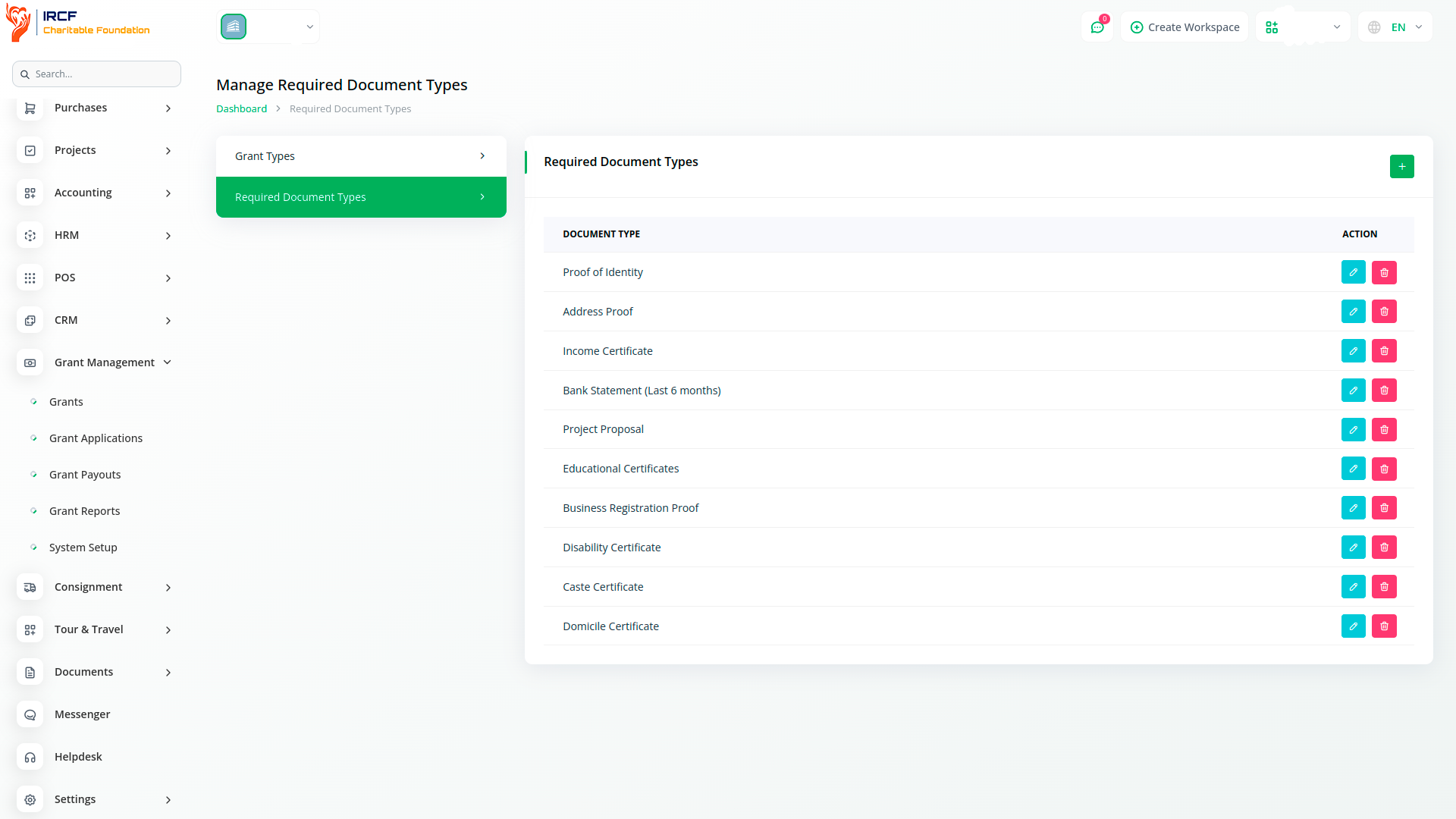
With IRCF Workspace, you can seamlessly manage all core functions of your organisation — including grants, finance, HR, communication, and compliance — through one centralised platform.


