Custom Signature Add-On Introduction
The Signature Add-On in IRCF Workspace is a built-in tool that enables users to sign key items directly inside the platform.
Designed to support internal confirmations between the organisation and external collaborators such as vendors, staff, or construction partners, it eliminates the need to manage separate signed documents outside the system.
The add-on improves process clarity, speeds up task finalisation, and ensures that all signature-related actions remain centralised and accessible.

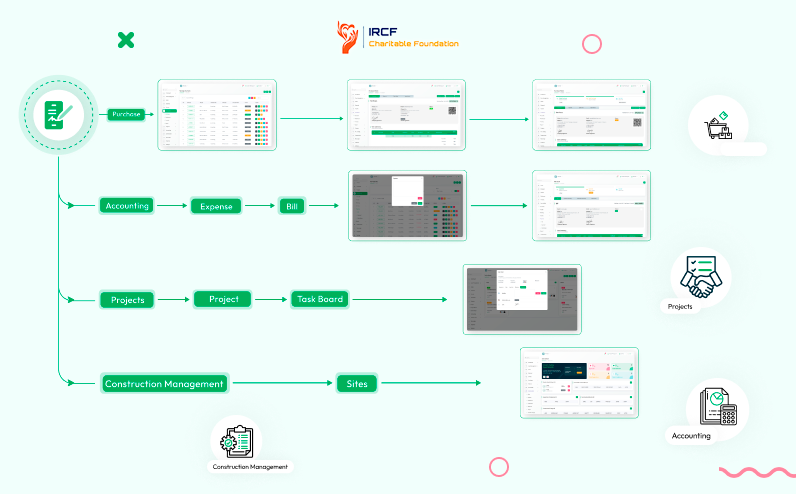
Within IRCF Workspace, the Signature Add-On enforces signing permissions based on user roles.
The organisation has default signing access in supported modules, while vendors, staff, and construction partners require explicit signature rights.
Each role can sign only within designated modules, preventing unauthorised use and maintaining controlled access to confirmation actions.
Inside IRCF Workspace, the Signature Add-On allows the organisation (company) to sign purchase records directly within the Purchases module.
Once the add-on is enabled, the signature button becomes visible to company users without any additional permission setup.
This functionality simplifies internal approvals, confirms purchase finalisation, and ensures that signed records are securely stored in the system for reference or verification.
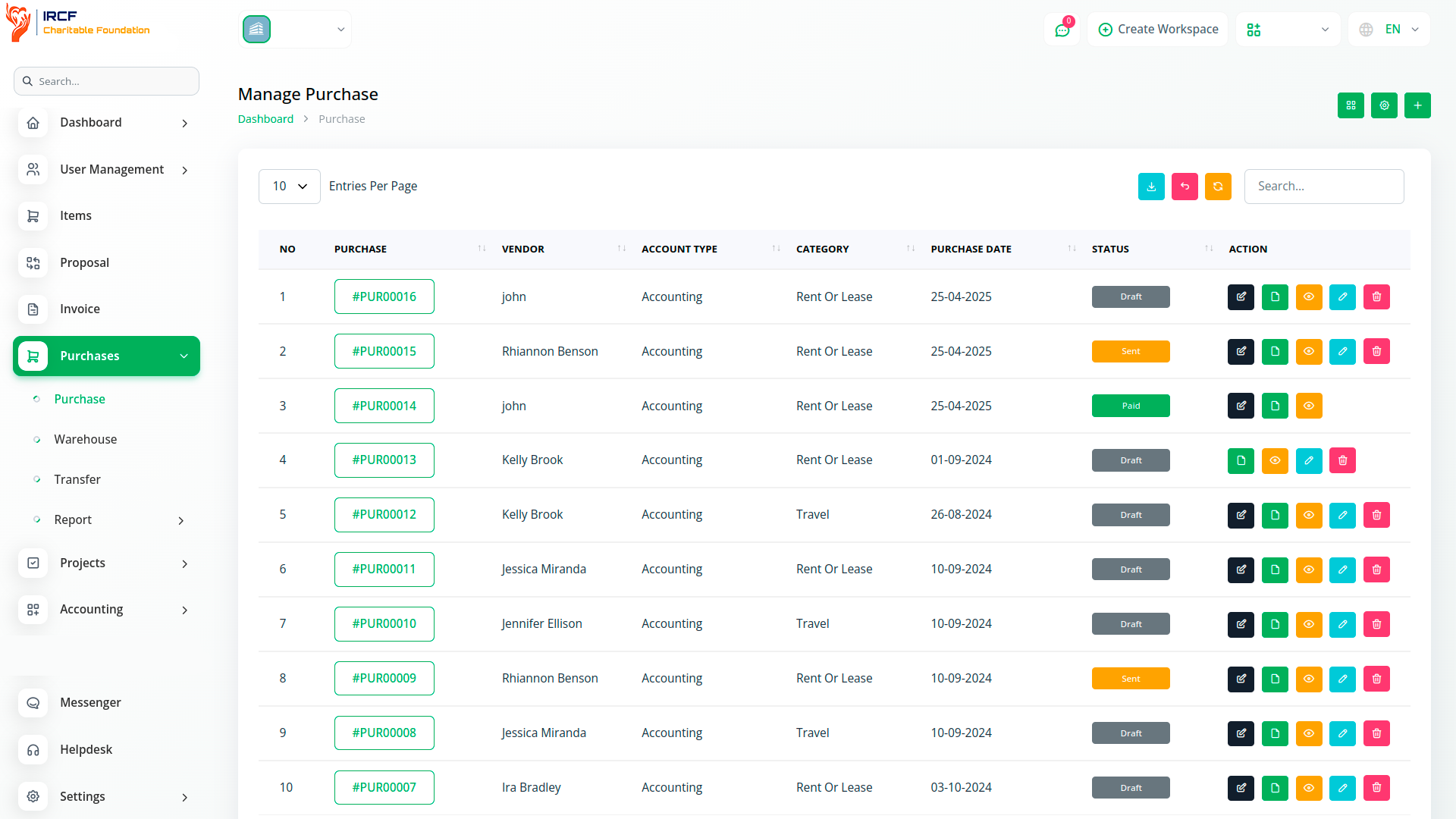
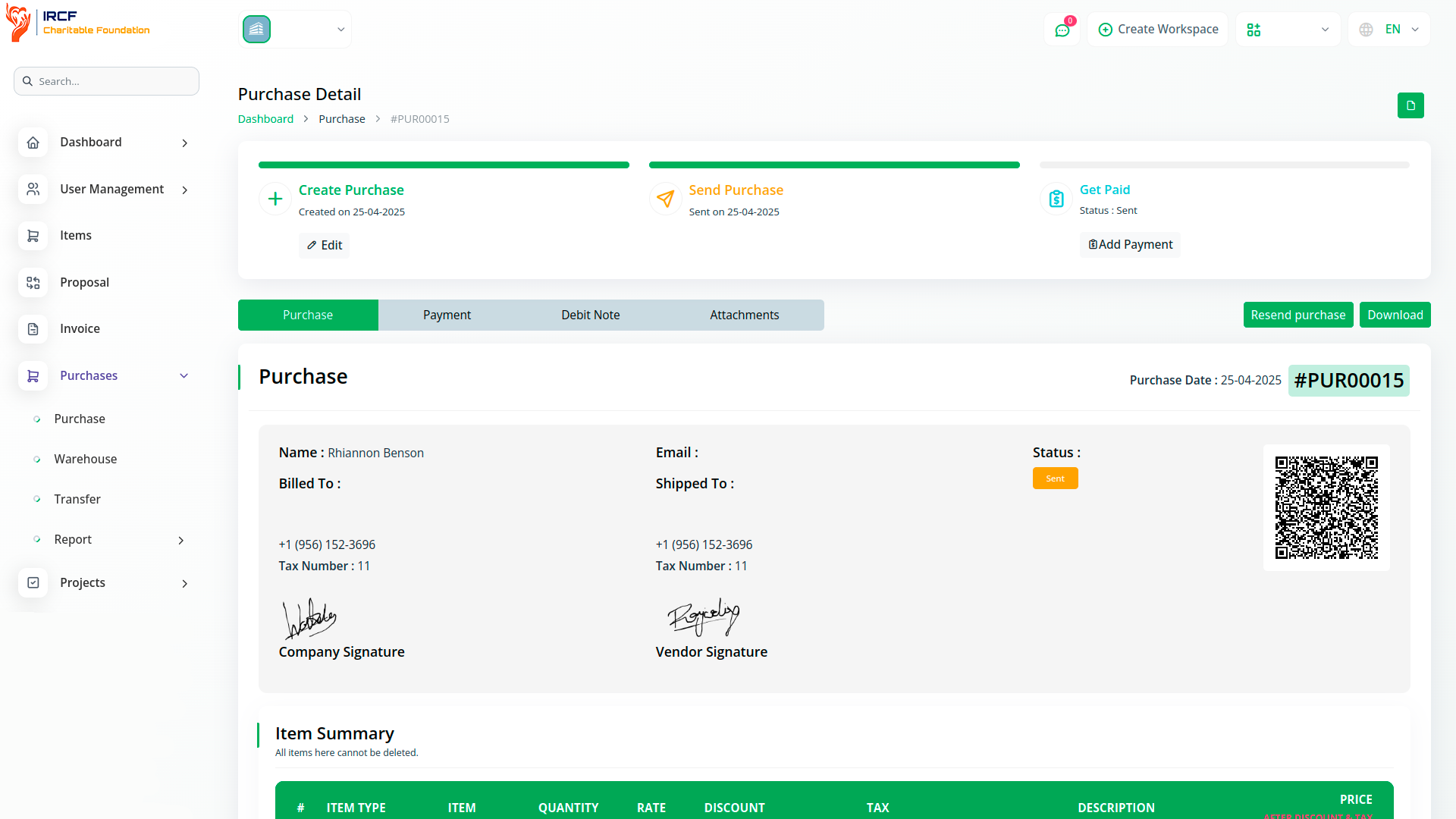
The Signature Add-On in IRCF Workspace allows vendors to sign purchase documents under specific conditions.
Vendors must log in to the system and have signature permissions granted under their assigned role.
If these conditions are met, the vendor can access the signature option directly in the Purchase section.
Until signed, the system displays a status such as “Not Signed”, helping the organisation track vendor confirmation status for each purchase.
This improves transparency and ensures mutual acknowledgment during the procurement process.
Within IRCF Workspace, the organisation has default access to apply signatures to bill records inside the Accounting → Expense module.
Once the Signature Add-On is enabled, the signature button becomes available to company users without additional permission setup.
Signed bills are recorded in the system, confirming organisational approval and creating an internal audit trail.
When both the vendor and the company sign a bill, the system reflects mutual acknowledgment — supporting transparent, accountable financial processes.
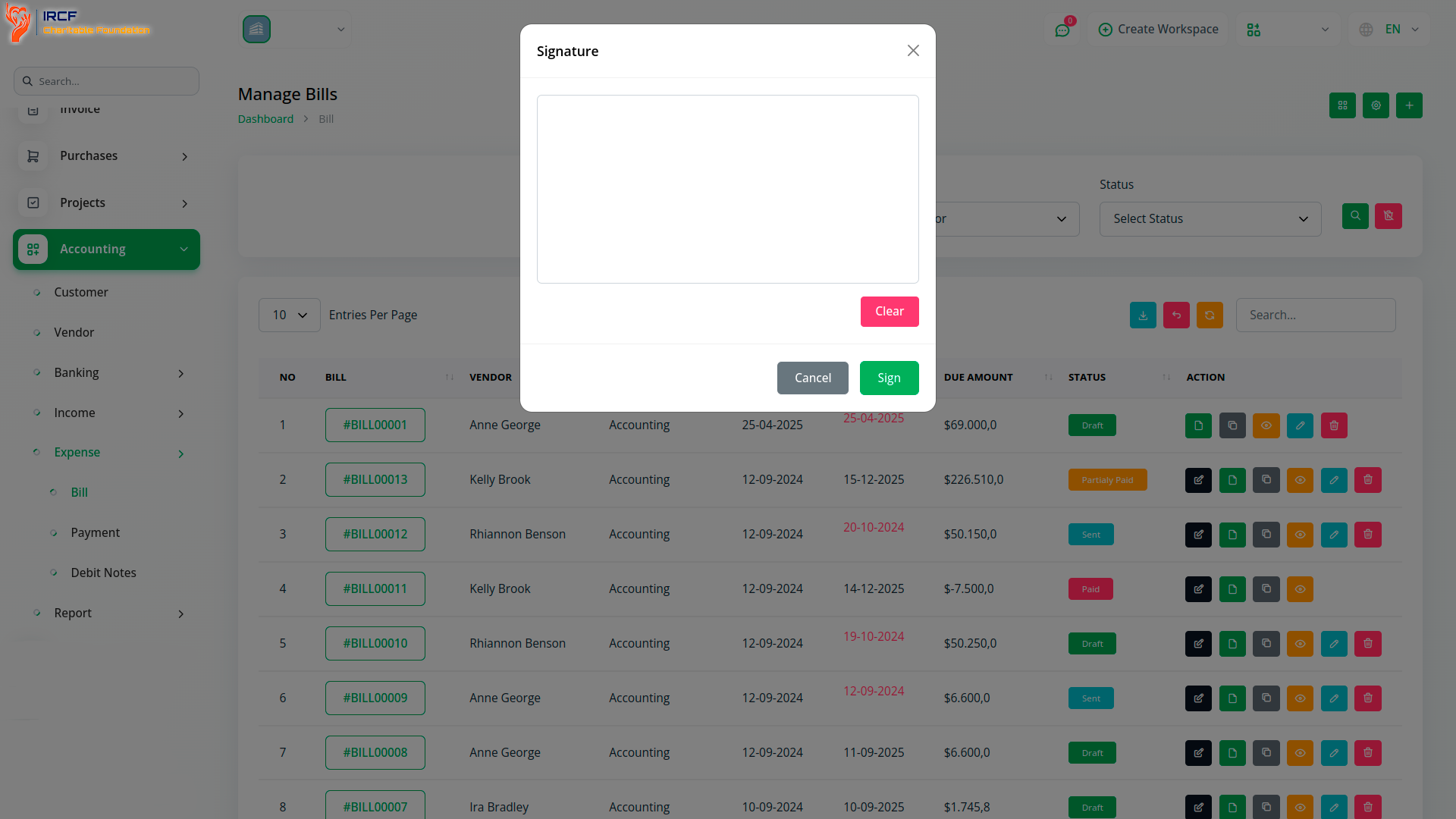
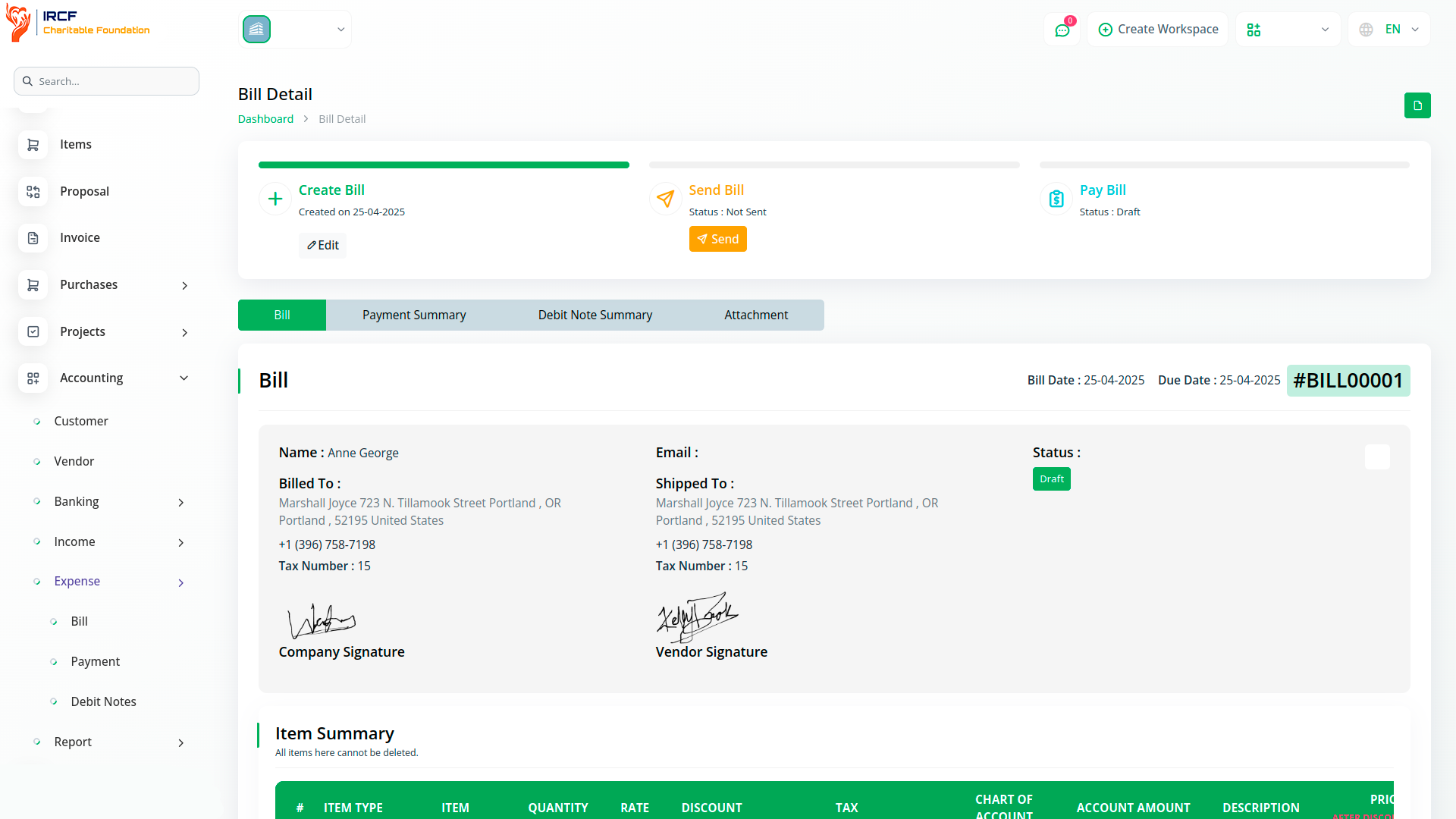
In IRCF Workspace, vendors can also sign bill records located under the Accounting → Expense section.
To access the signature option, vendors must log in and have signature rights assigned to their user role by the organisation.
Once signed, the system confirms vendor acknowledgment of the bill’s contents, helping validate agreement on billing terms.
The organisation can easily check whether the vendor has completed their signature, improving transparency and reducing delays in approval workflows.
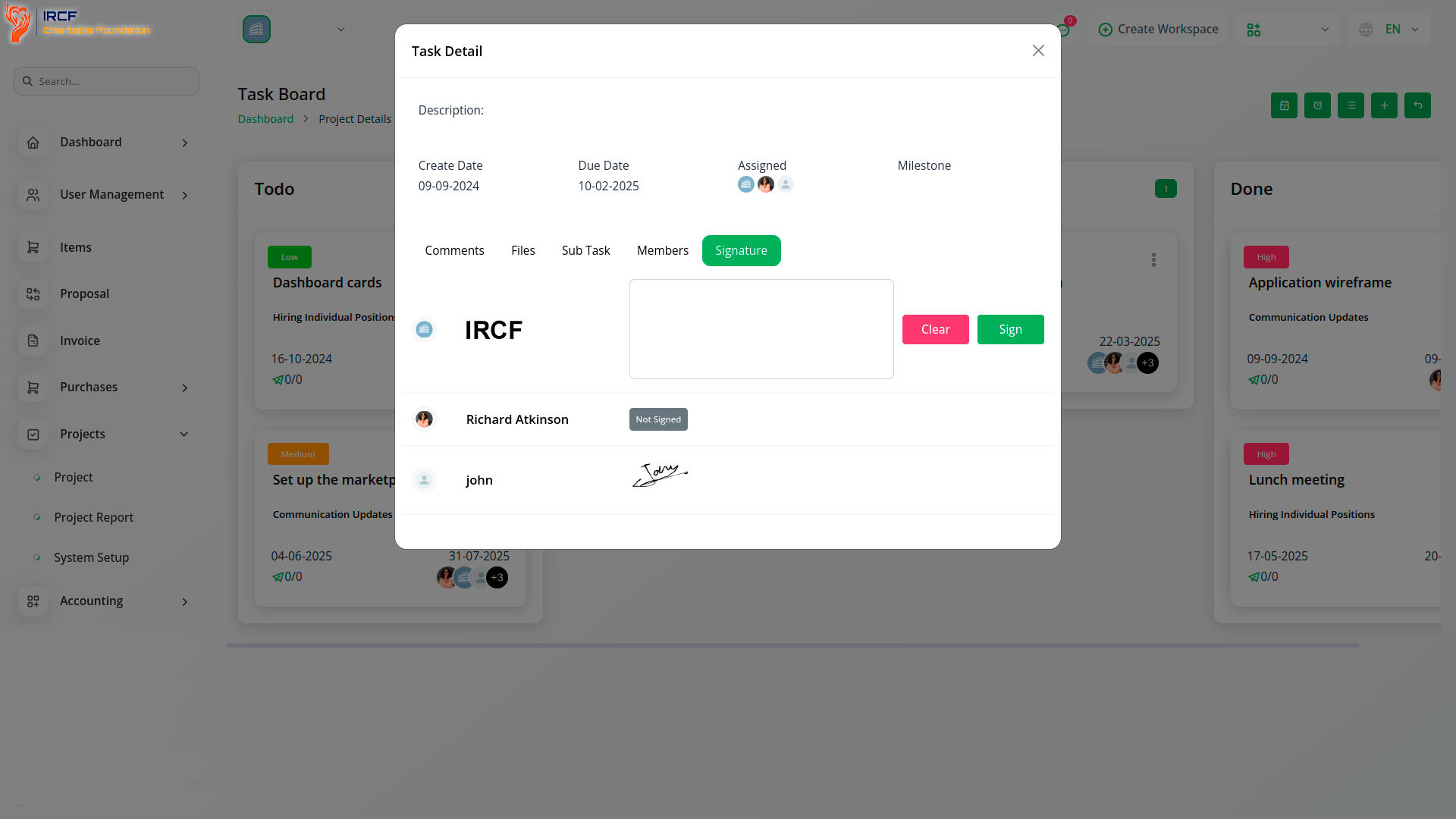
In IRCF Workspace, the Signature Add-On allows both the assigned staff member and the organisation to sign project-related tasks.
For staff users to access the signature option, they must log in and have signature rights explicitly granted under their role.
The organisation (company) has default access and can sign project tasks without additional setup.
This functionality enables confirmation of task completion, accountability tracking, and aligned communication between project teams and administrators.
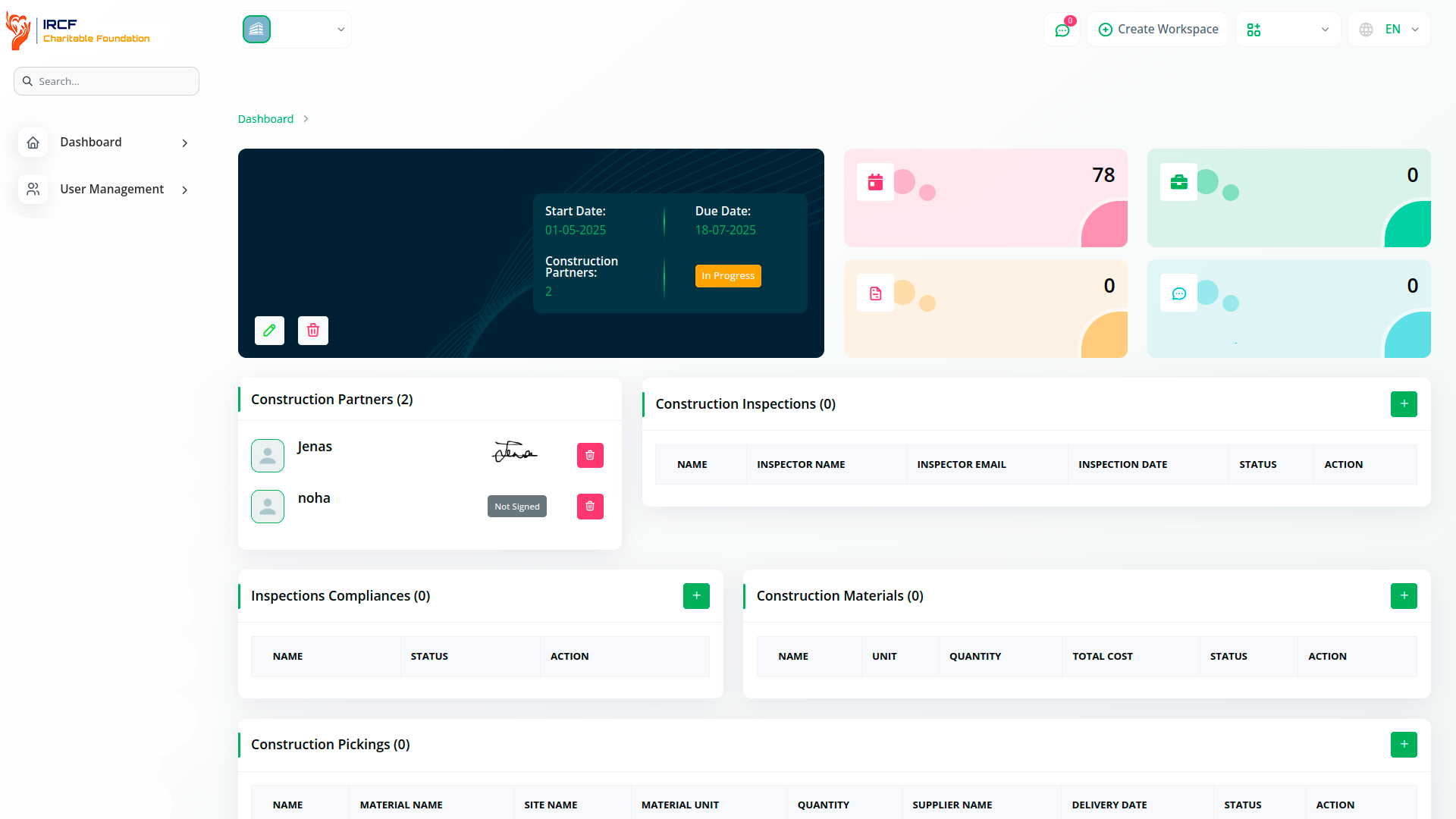
In IRCF Workspace, the Signature Add-On allows only construction partners to sign records in the Construction Sites module.
These users must log in and have the signature permission assigned under the construction partner role by the organisation.
Once this access is granted, partners can sign site-related documents directly from their interface.
Unlike other modules, the organisation does not have signature access here but can view the submitted signatures.
This ensures responsibility remains with the assigned field partner, while still providing full visibility to the organisation.
The Signature Add-On in IRCF Workspace streamlines internal confirmation processes across operational, procurement, and project activities.
It enables authorised users — including staff, vendors, and partners — to digitally acknowledge records inside specific modules, without relying on external platforms.
With role-based permissions and in-system visibility, your organisation gains greater accountability, process consistency, and audit-friendly traceability across collaborative workflows.
Access a wide range of premium add-ons for Accounting, Volunteer Coordination, Donation Management, Beneficiary Engagement, Communication, Programme Oversight, and more — all in one centralised platform!
With IRCF Workspace, you can conveniently manage all your organisation’s functions and charitable operations from a single, centralised platform.