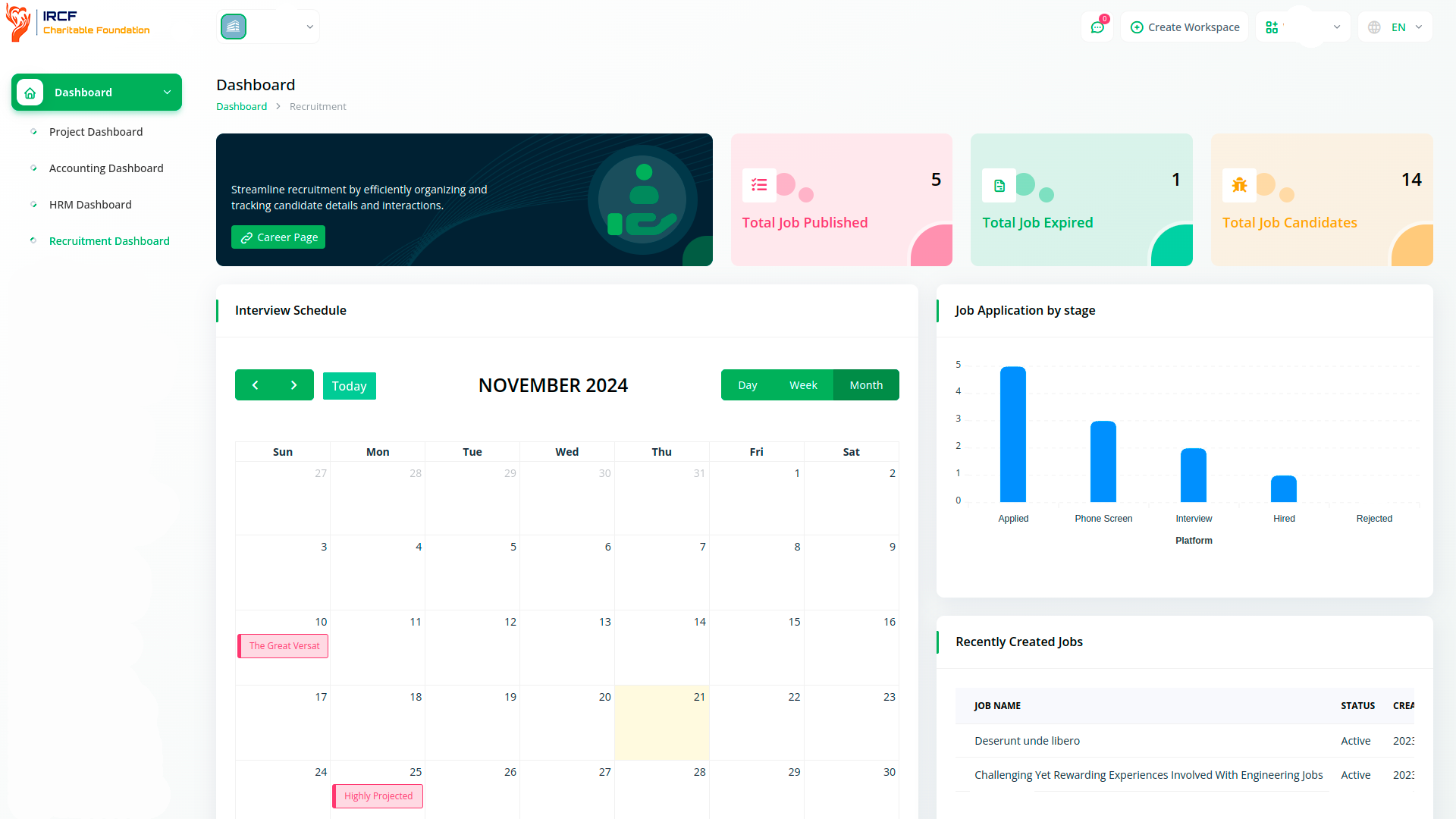
The Recruitment module in IRCF Workspace provides a centralised dashboard for managing job openings, applications, and candidate progress.
It displays key recruitment metrics, including open roles, expired postings, and the number of current applicants.
Users can access an interactive calendar with scheduled interviews and view recent activity by posting or application date.
This live overview helps streamline staffing efforts and ensures transparency throughout the recruitment cycle.

Collect, evaluate, and manage job applications using a structured and transparent system.
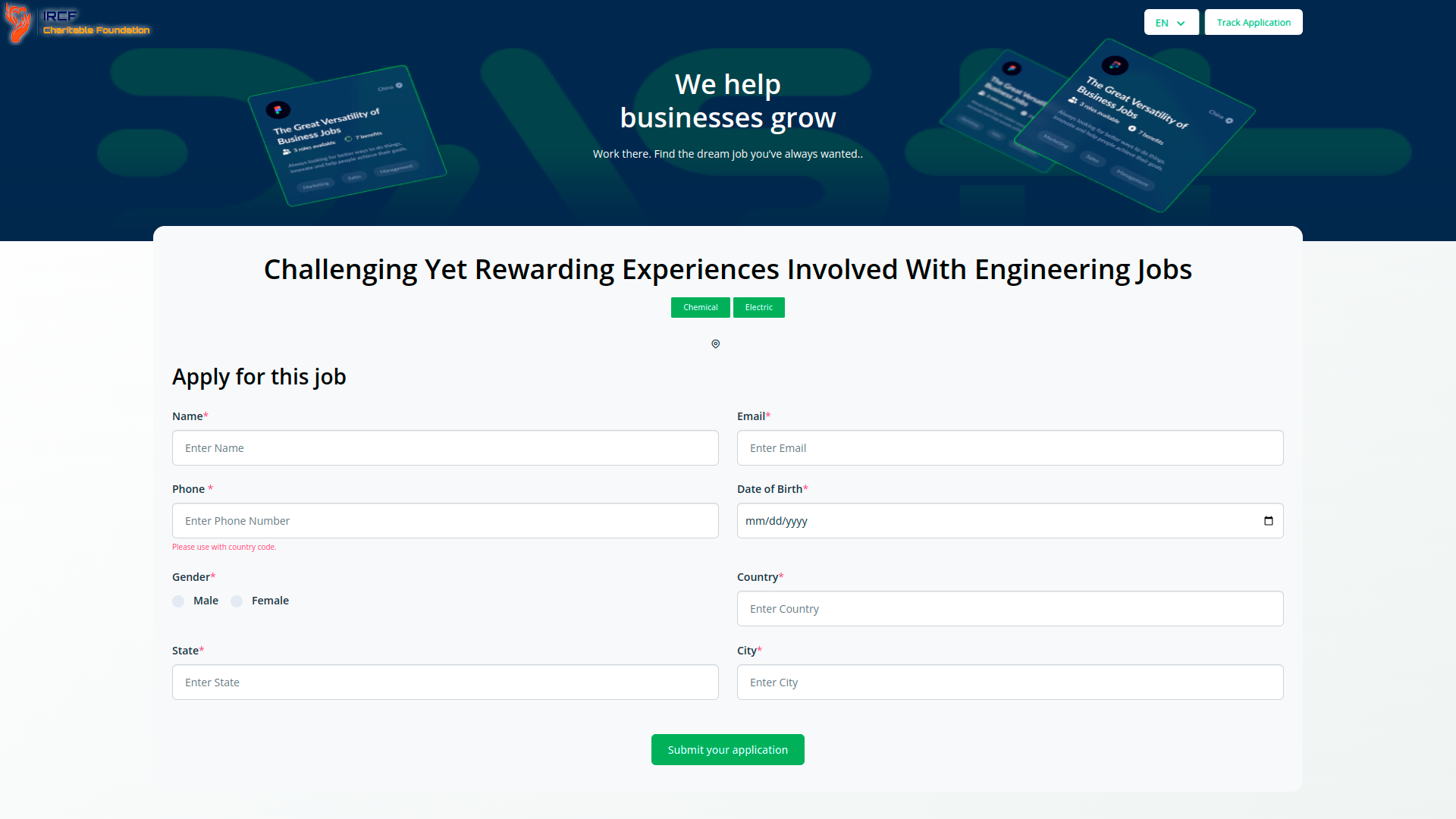
Candidates can apply through public-facing forms, while internal users can track and review submissions based on defined job criteria.
This module supports full-cycle recruitment — from initial posting to application review — and promotes equitable, criteria-based candidate selection.
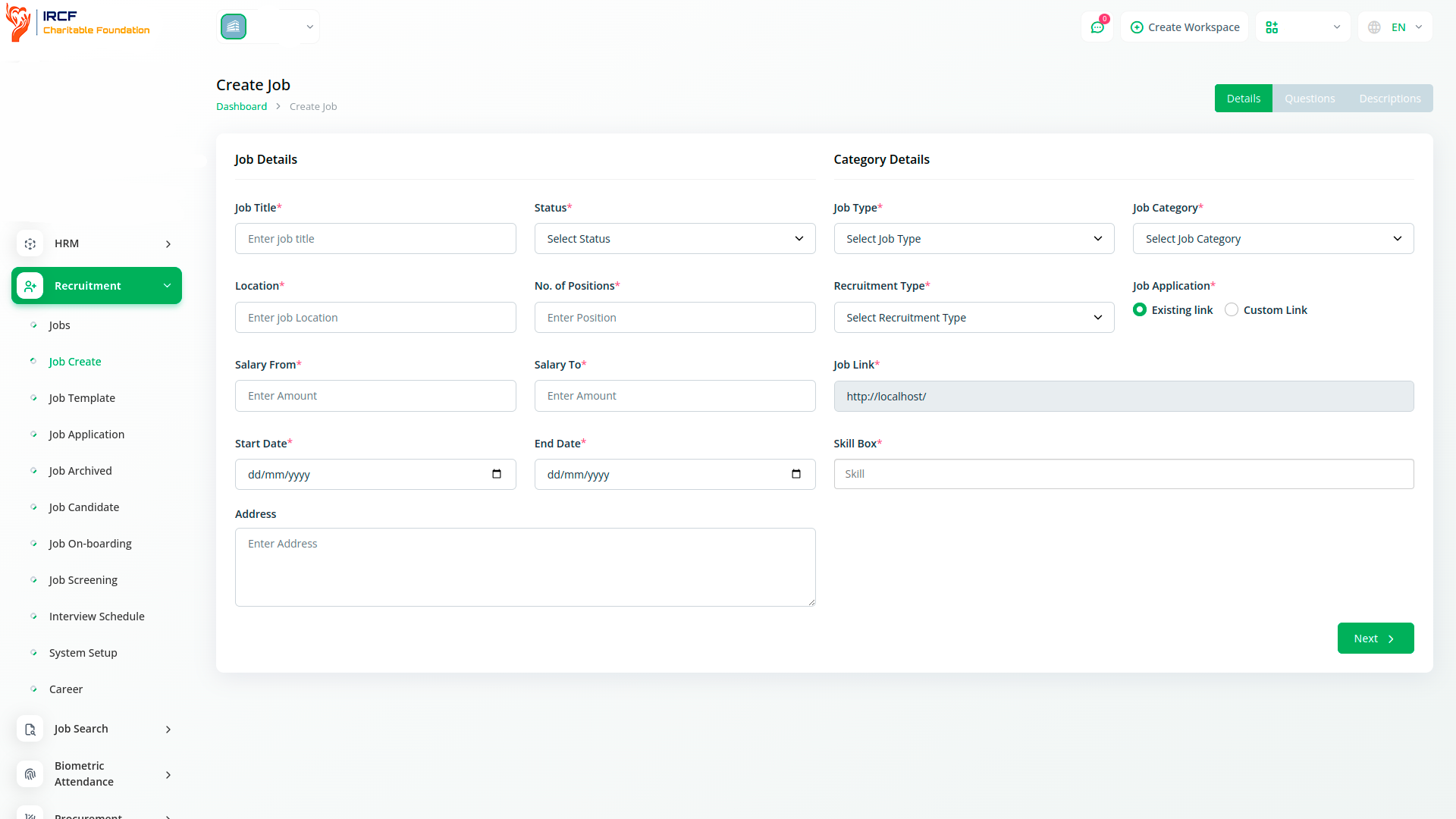
Administrators can create job postings by specifying the position title, description, qualifications, and key requirements.
The form allows entry of structured data, enabling consistent formatting and presentation across roles.
All created jobs appear in the system’s job list and can be edited, deleted, or duplicated as needed.
This process supports clarity, accessibility, and standardisation in job listing workflows.
This section header appears in the official documentation of the Recruitment module but does not currently include any accompanying description or functionality overview. It may refer to the ability to access or share public job posting URLs generated by the system, but this has not been confirmed in the current version of the documentation.
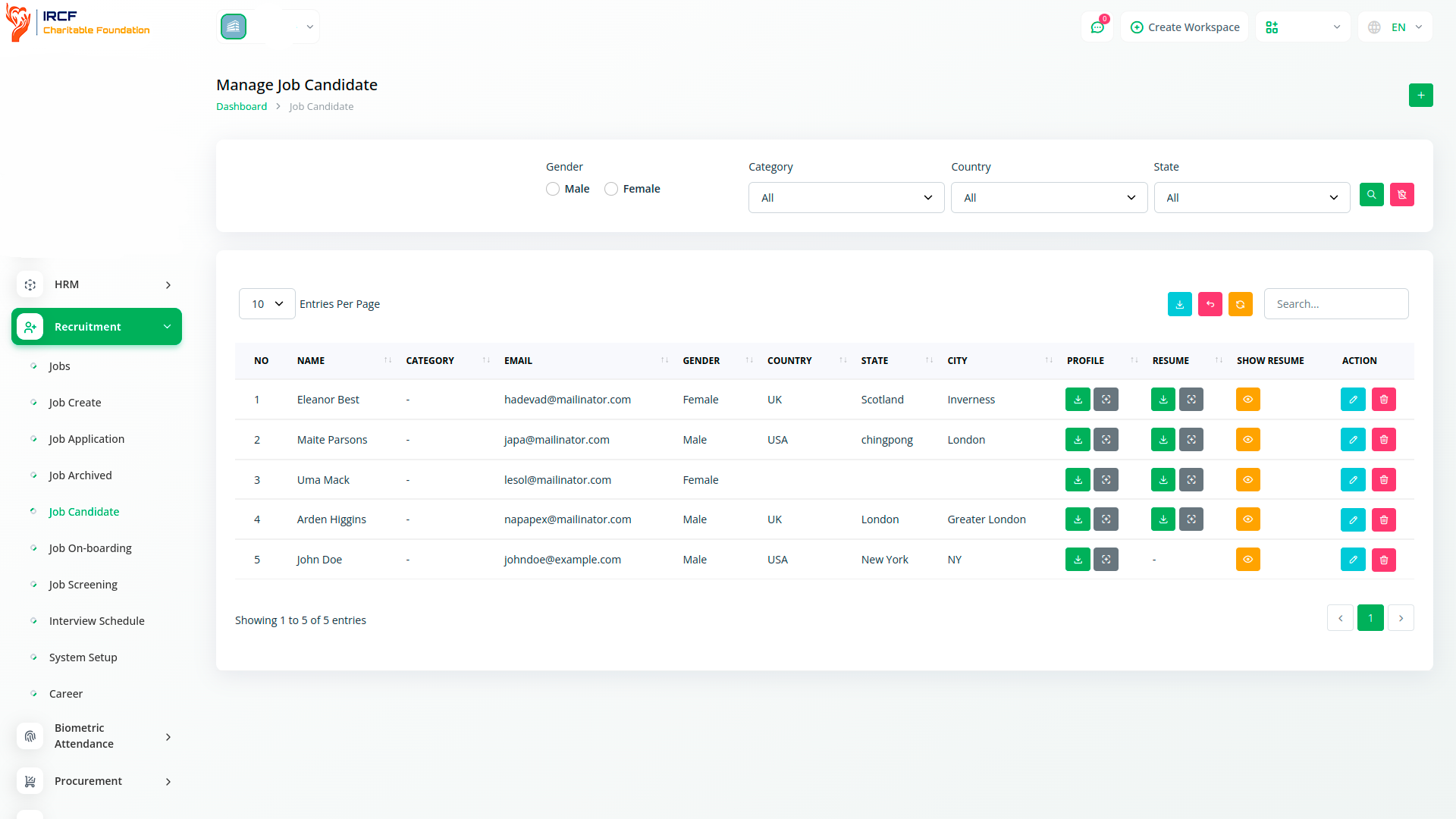
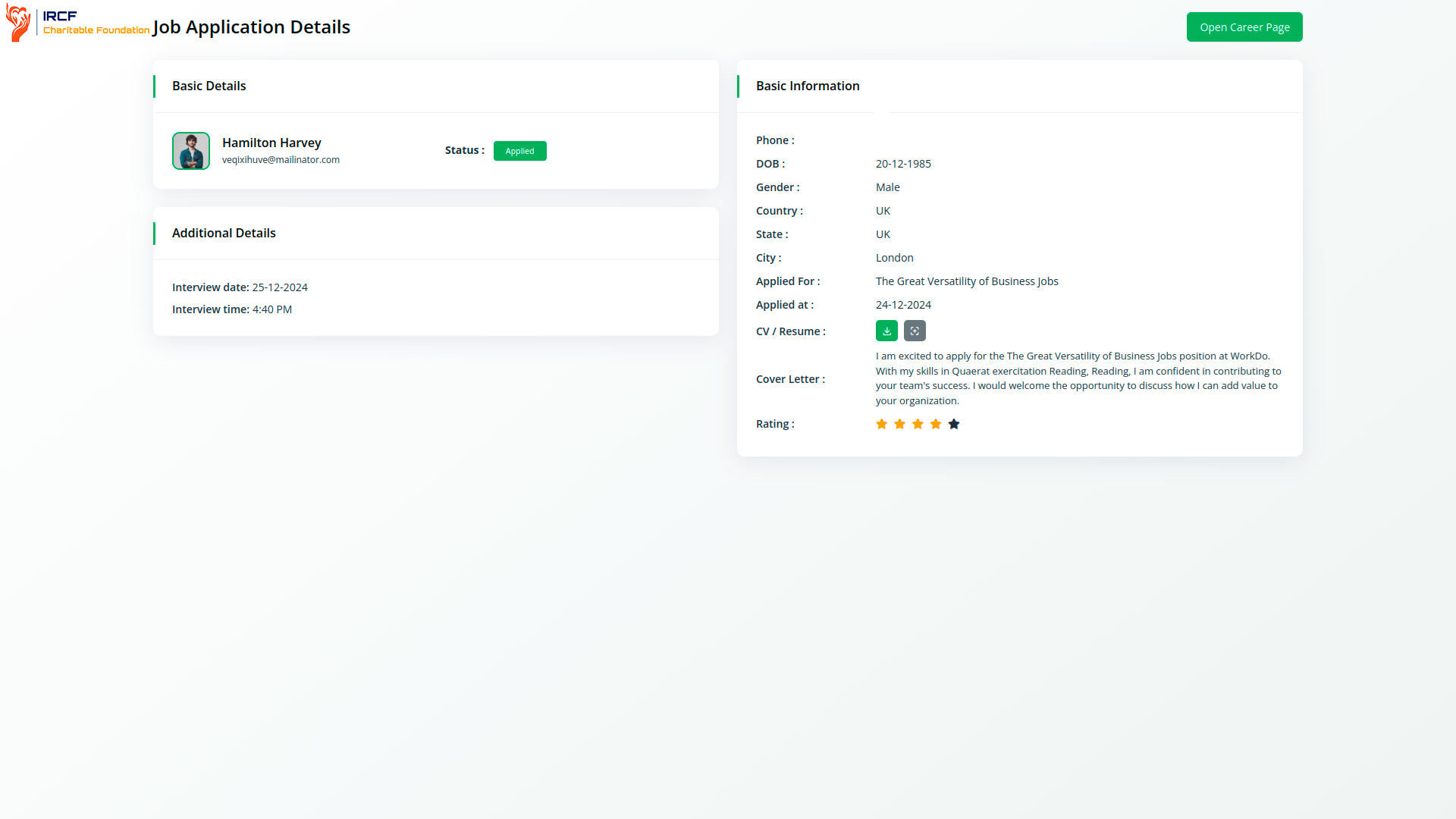
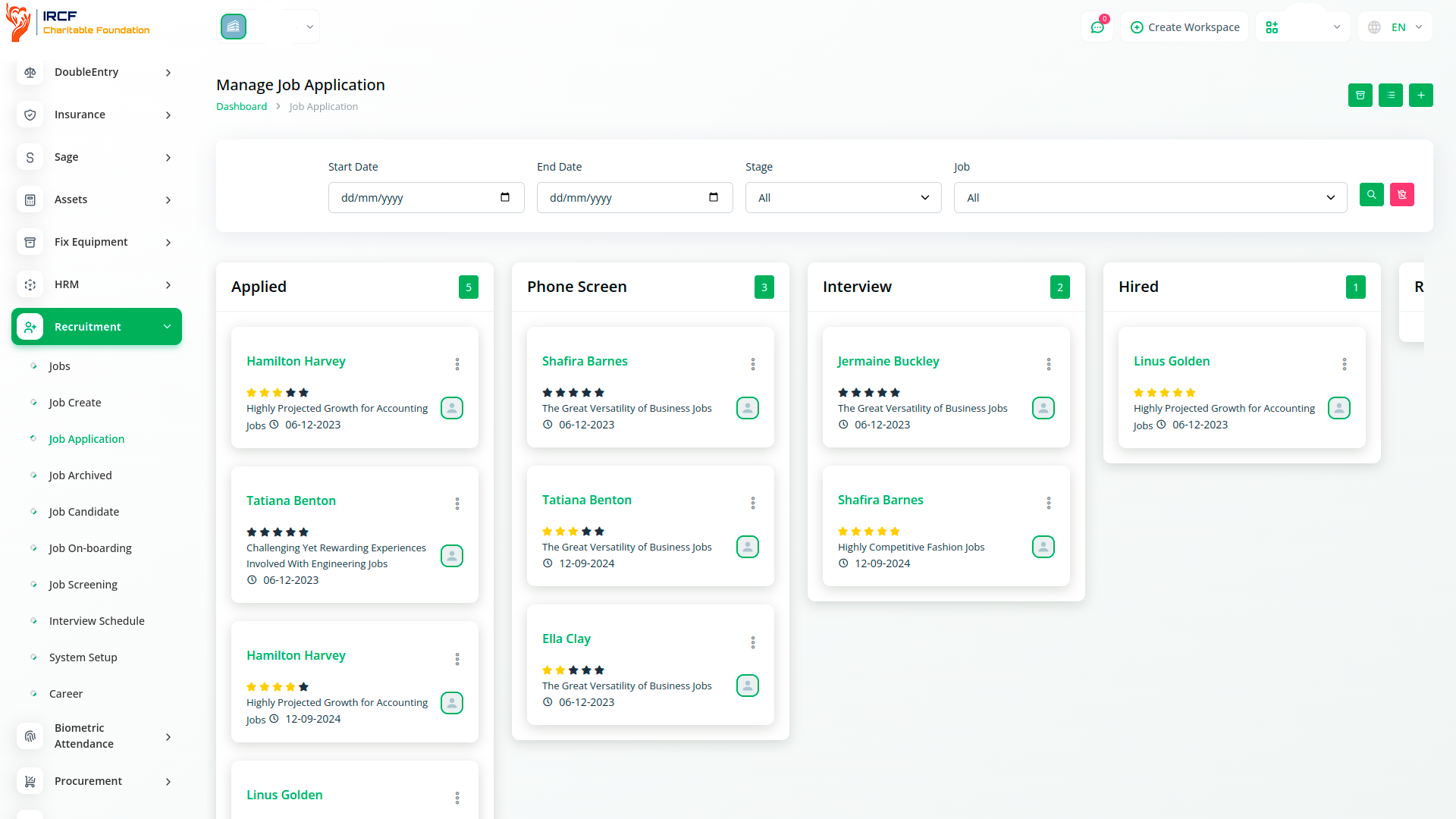
Manage all submitted applications from a centralised interface.
Users can filter, review, and respond to applications based on candidate qualifications, submission date, or status.
Each applicant record displays progress through the recruitment stages — from initial submission to onboarding.
Tools for sorting, searching, and commenting help streamline decision-making and maintain process consistency.
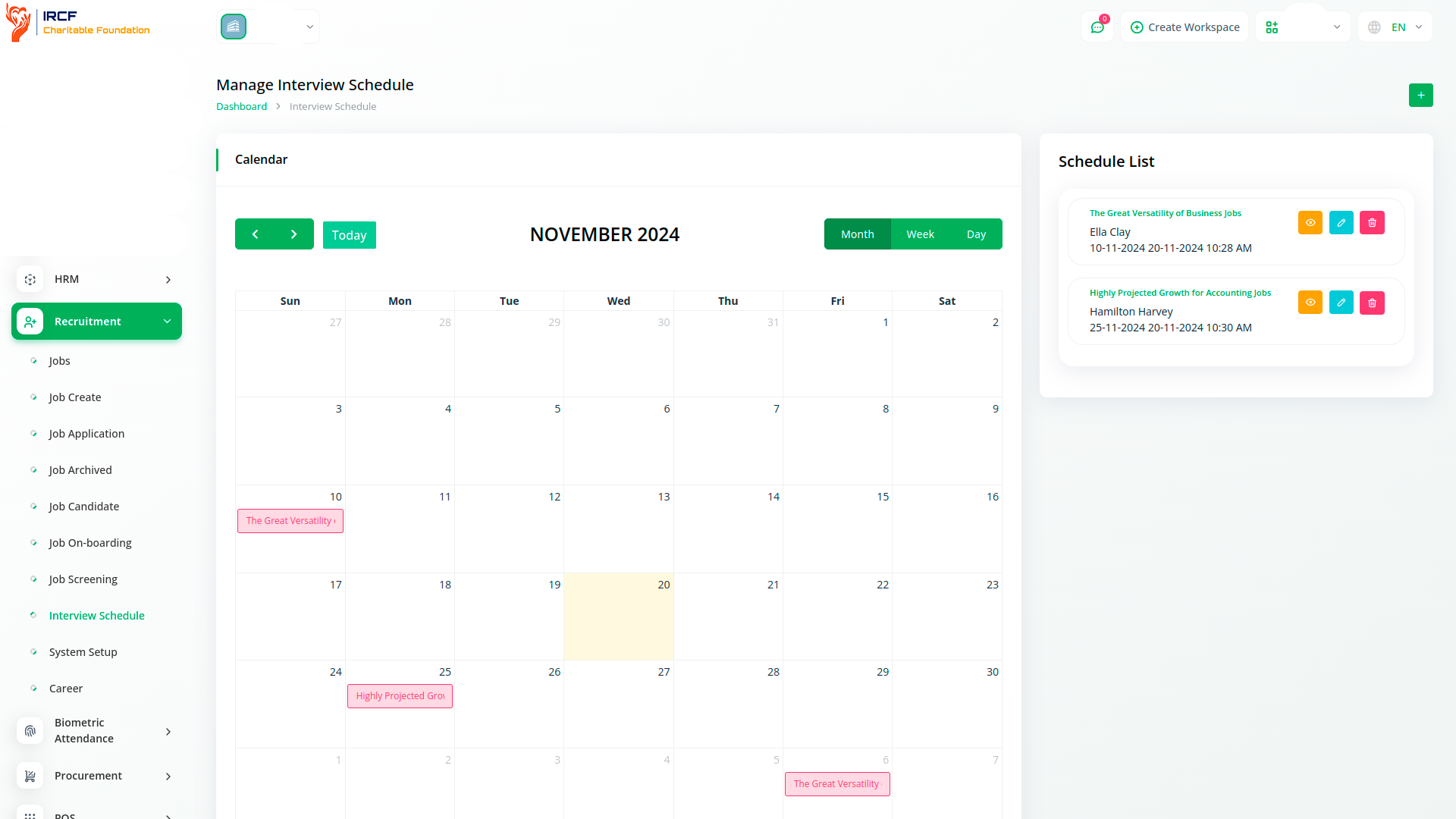
Schedule and manage interviews through an integrated calendar.
Users can assign dates and times for candidates and interviewers, with automated email notifications.
This functionality reduces manual coordination and helps ensure timely, transparent communication throughout the interview process.
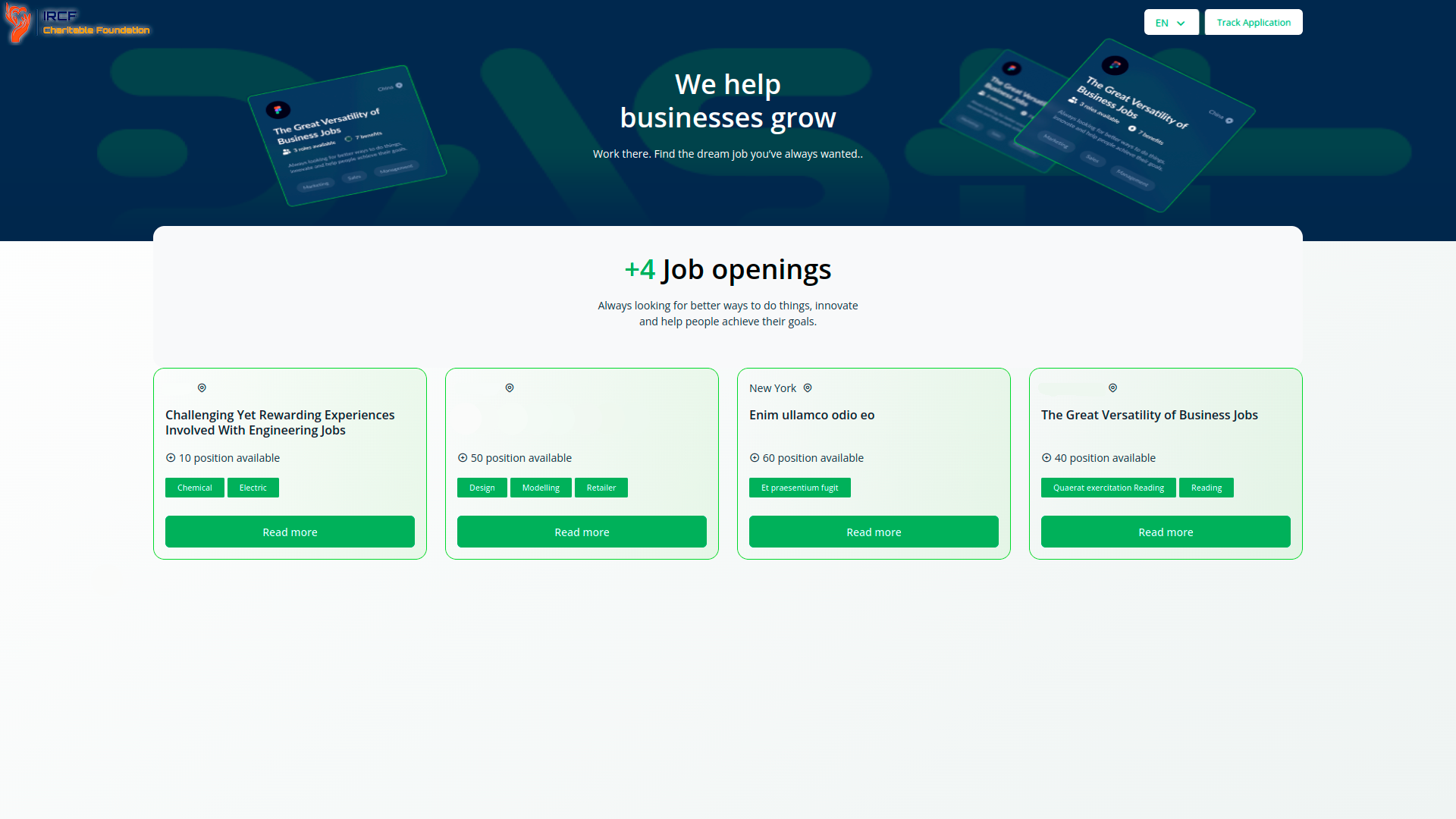
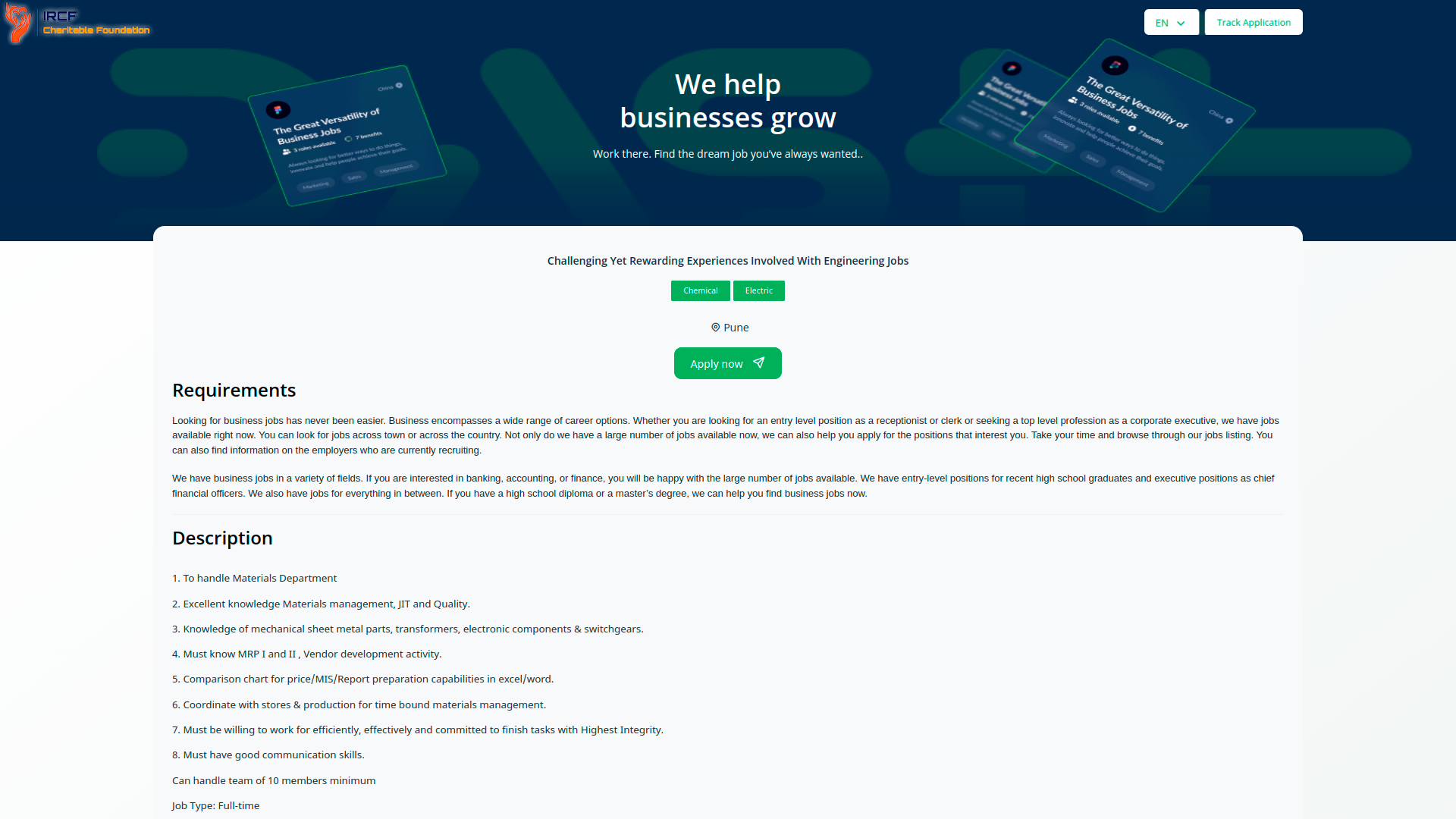
Present your organisation’s values, mission, and opportunities to potential candidates via a public-facing career page.
Highlight open positions, testimonials, training opportunities, and upcoming events.
This space supports employer branding and helps attract candidates who align with your organisational culture.
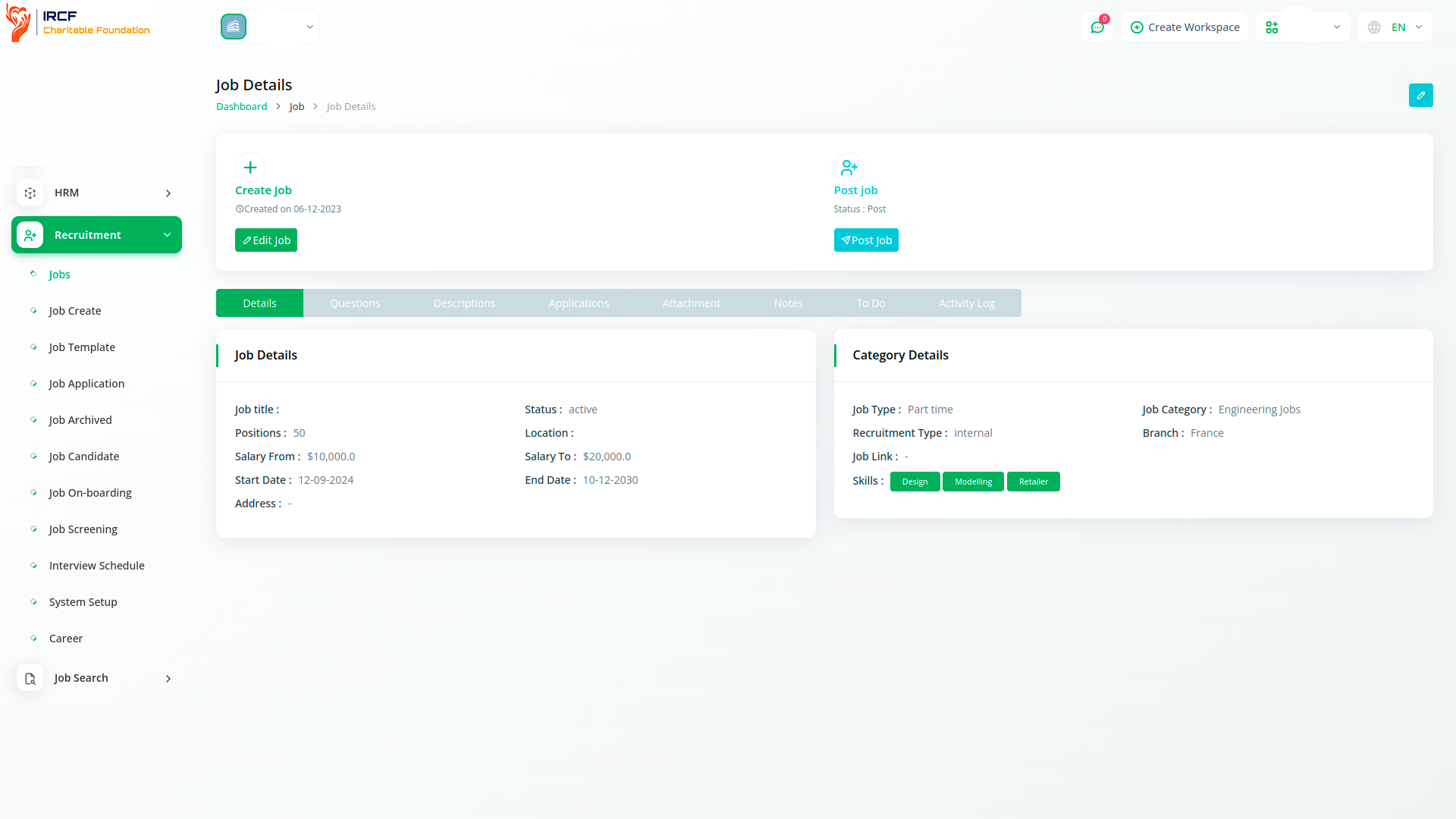
View all information related to a job posting — including description, requirements, custom screening questions, submitted applications, and attachments.
Administrators can also access internal notes, to-do lists, and action logs associated with each position.
This unified view helps manage job postings with full context, improving collaboration and recruitment accuracy.
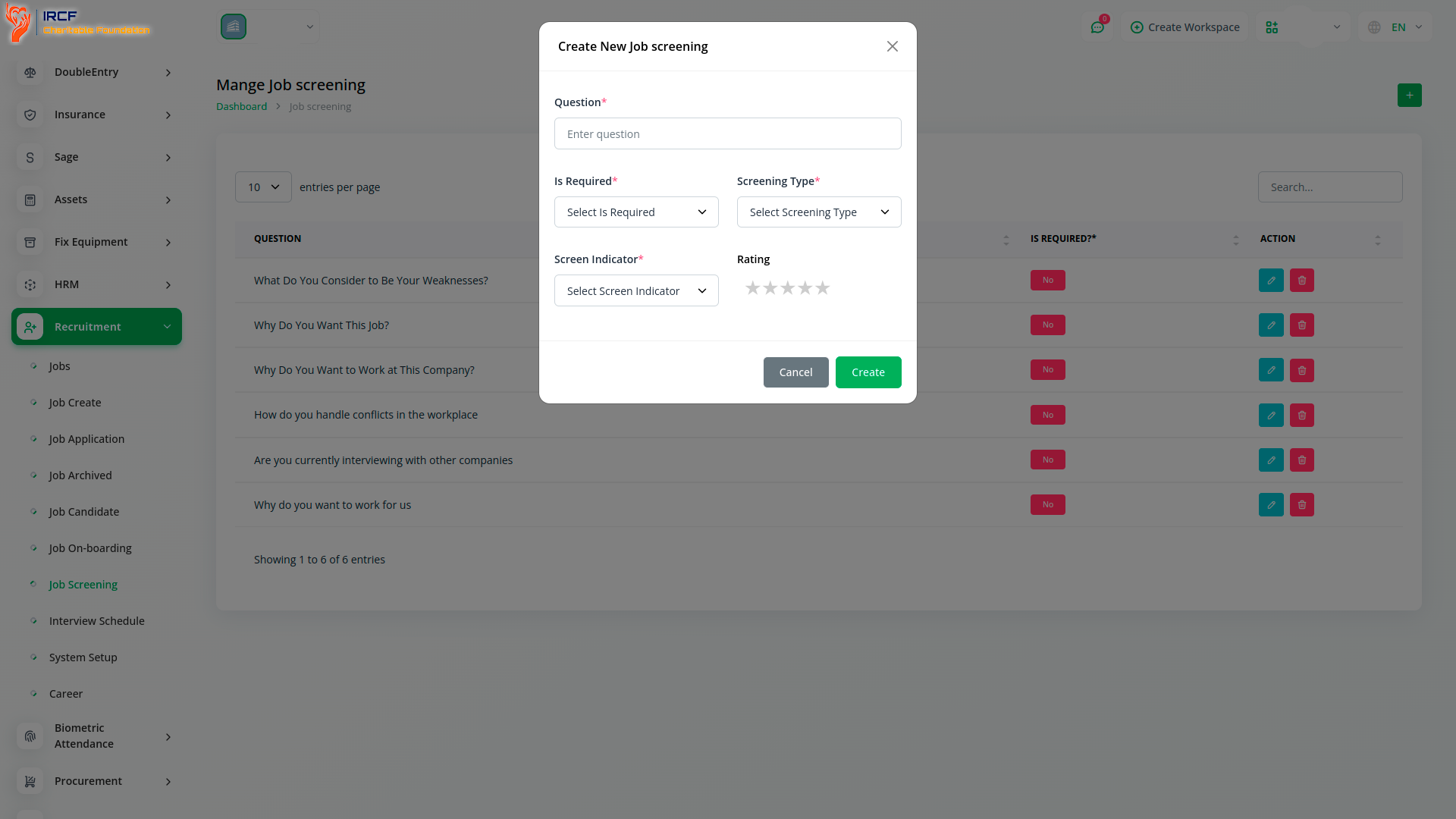
Define custom screening criteria for job applications — including required fields, evaluation types, indicators, and rating scales.
Use this setup to ensure candidates are assessed against consistent, measurable benchmarks.
This process improves the fairness and transparency of candidate shortlisting.
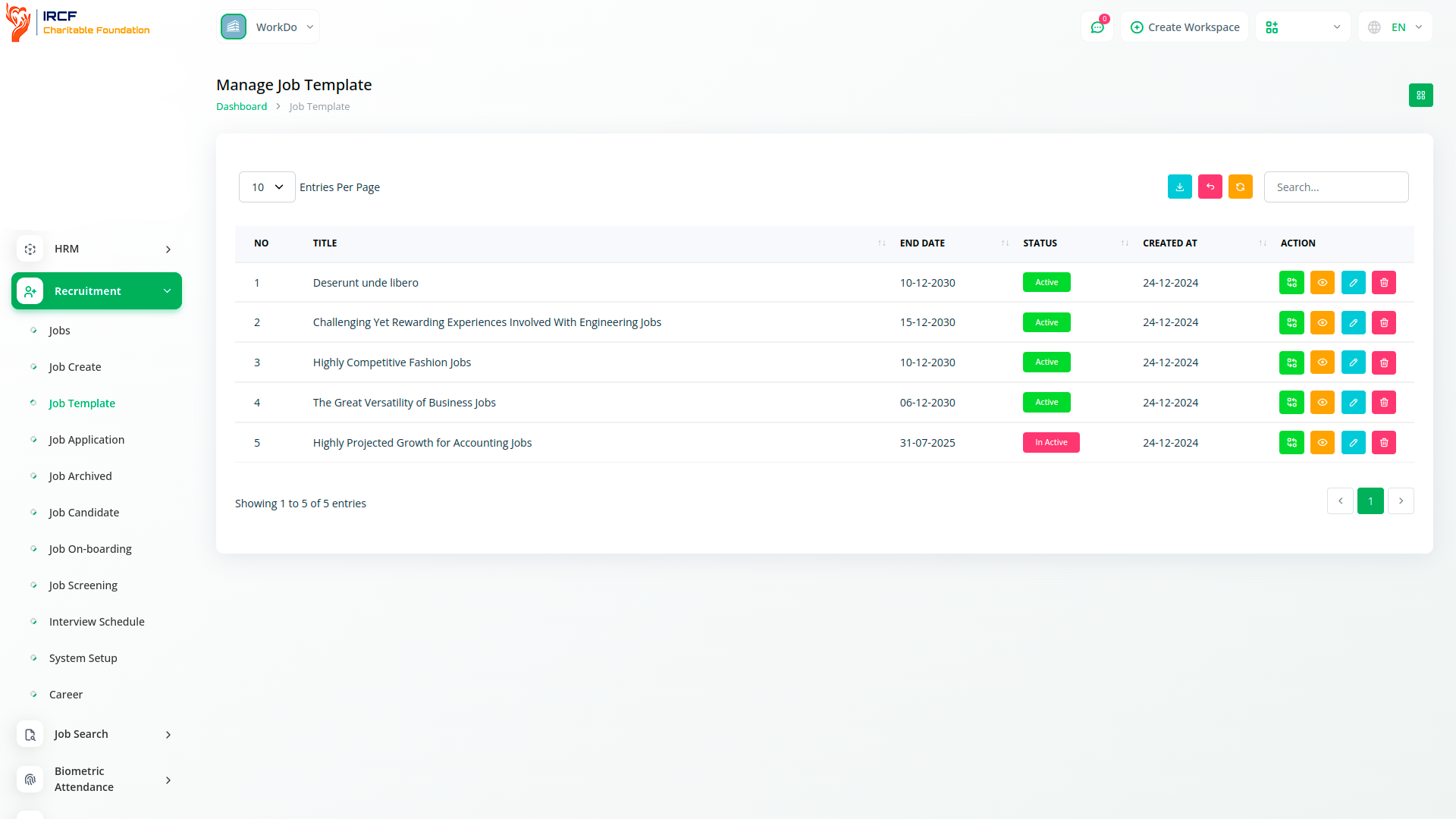
Create and save reusable job posting templates for future use.
Templates retain role-specific fields, descriptions, and requirements, helping standardise your listings and reduce repetitive setup.
Templates can be quickly activated and published when similar roles become available again.
Customise the look and feel of job listings displayed on your public-facing website.
Adjust branding elements, form fields, and layout options to align with your organisational identity.
This allows applicants to browse, apply, and interact with vacancies in a consistent and accessible way.
The Recruitment module in IRCF Workspace provides a structured, accountable, and user-friendly environment for managing hiring processes across programmes and departments.
From vacancy creation and candidate screening to interview scheduling and frontend presentation, every step is captured and centrally recorded.
Designed to support transparency and consistency, this module ensures your team can manage talent acquisition efficiently — while maintaining full control and visibility within your wider organisational workflow.
Access a full range of premium add-ons for Accounting, Volunteer Management, Fund Disbursement, Stakeholder Engagement, Communication, Operational Oversight, and more — all in one place!
With IRCF Workspace, you can conveniently manage all your organisation’s core functions — including programmes, finance, human resources, and communication — from a single, centralised platform.