
The Documents module in IRCF Workspace provides a secure, centralised repository for all your organisation’s files — including programme materials, finance documents, internal forms, and more.
Eliminate the confusion of dispersed folders and ensure all documentation is logically stored, searchable, and consistently accessible to authorised team members.
With features for notes, comments, and manual project linking, this module supports collaboration and traceability across your foundation’s workstreams.

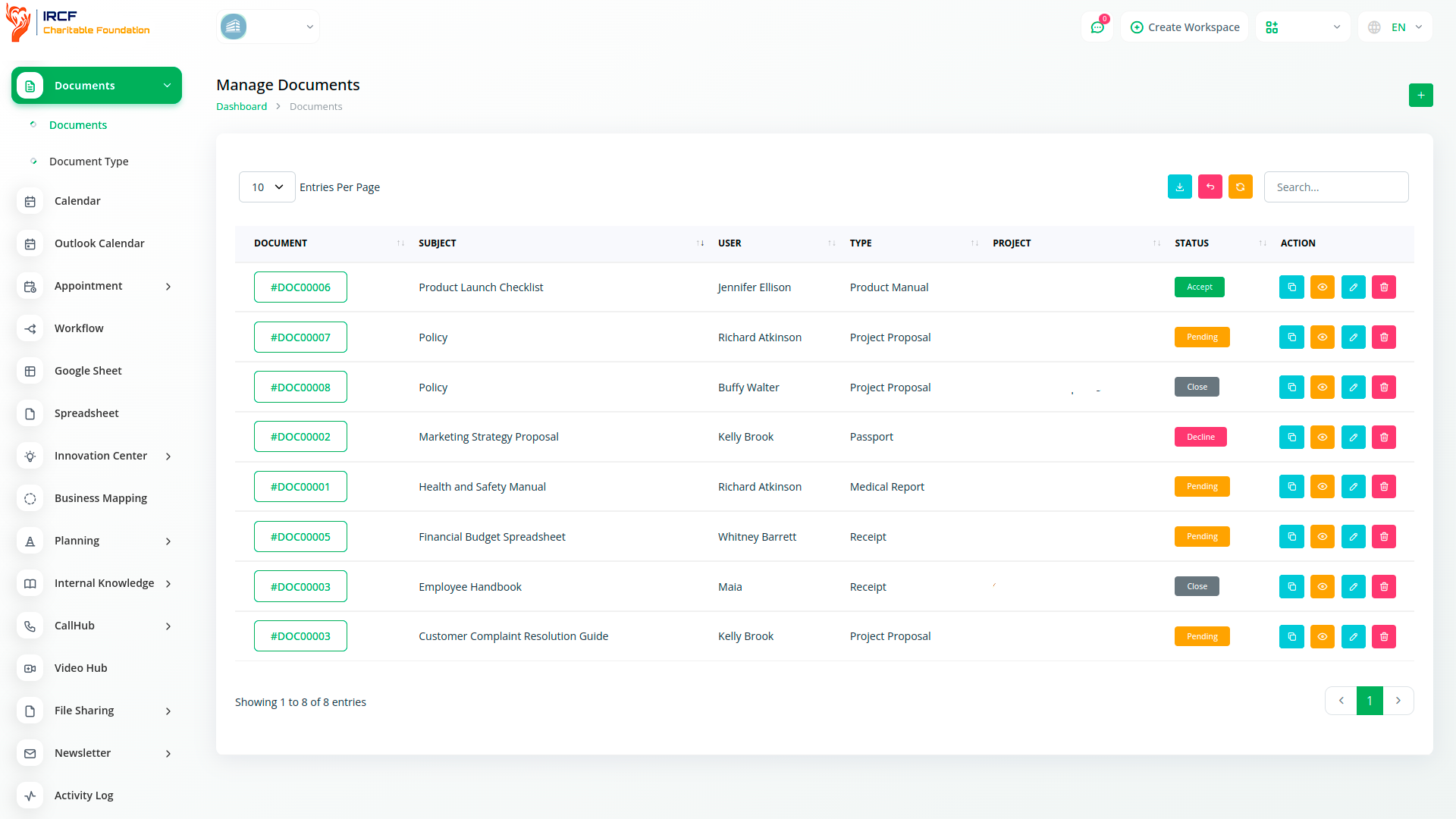
Organise and manage documents using structured folders and searchable lists or cards.
Upload multiple file types, categorise them with clear labels, and maintain consistent file naming across the system.
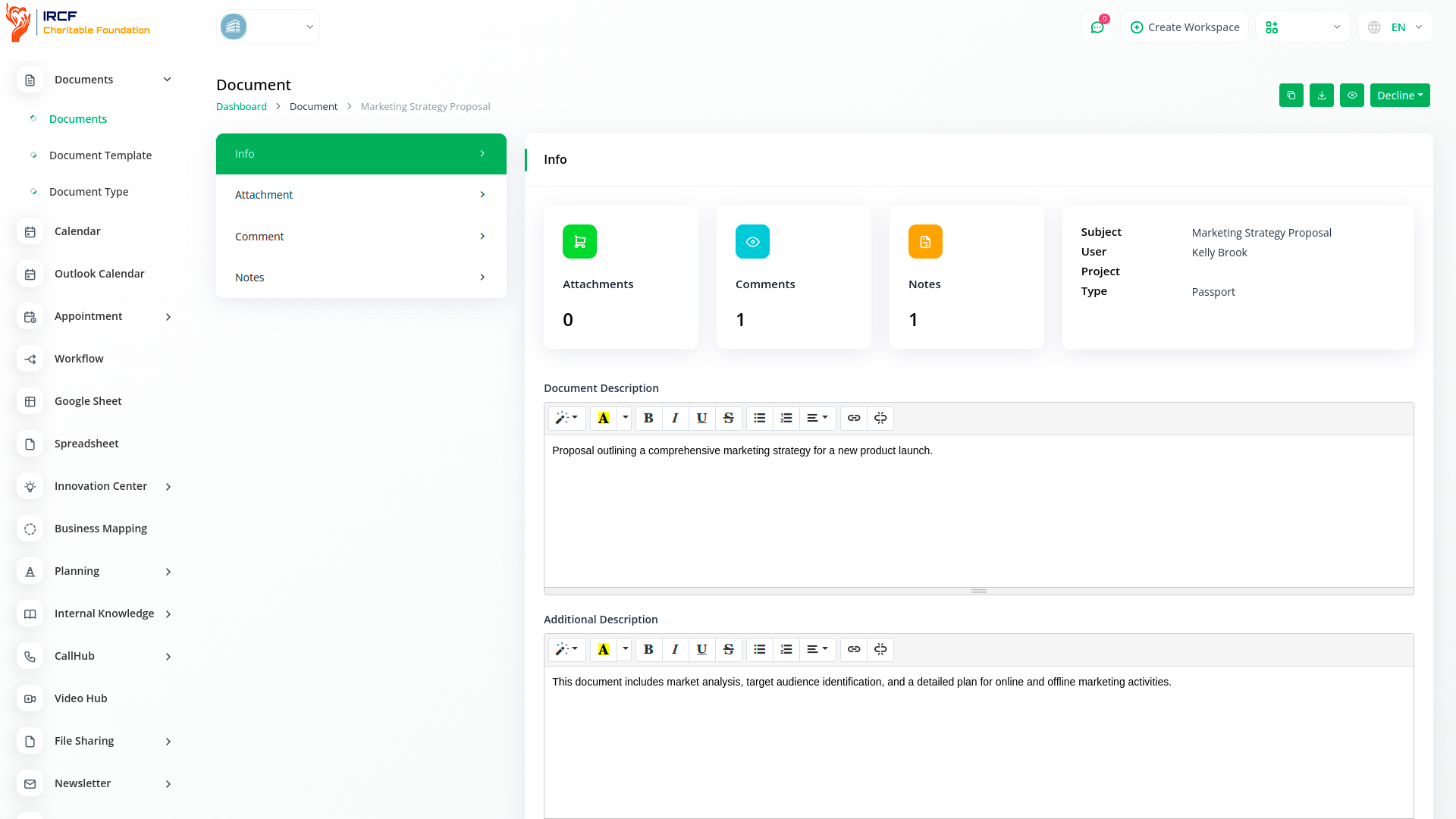
Add comments, insert contextual notes, and attach relevant materials — ensuring your documentation remains clear, centralised, and accessible to the right users.
Link specific documents to project records to improve traceability and ensure all supporting materials are available where needed.
While this linkage is manual, it allows each team to associate files such as reports, budgets, or communications with relevant project entries — enhancing clarity during implementation and review.
This feature supports greater structure in managing project documentation.
Team members can post comments directly on uploaded documents to provide updates, ask questions, or clarify details. Comments are visible in real time, ensuring everyone involved has access to the same discussion history. This feature helps maintain alignment between teams and supports transparent communication during document review and approval.
Add persistent notes to each document to explain background, provide guidance, or record decisions. Unlike comments, notes are informational and not part of discussion threads. This feature is ideal for documenting internal instructions, administrative context, or specific metadata that supports understanding and traceability.
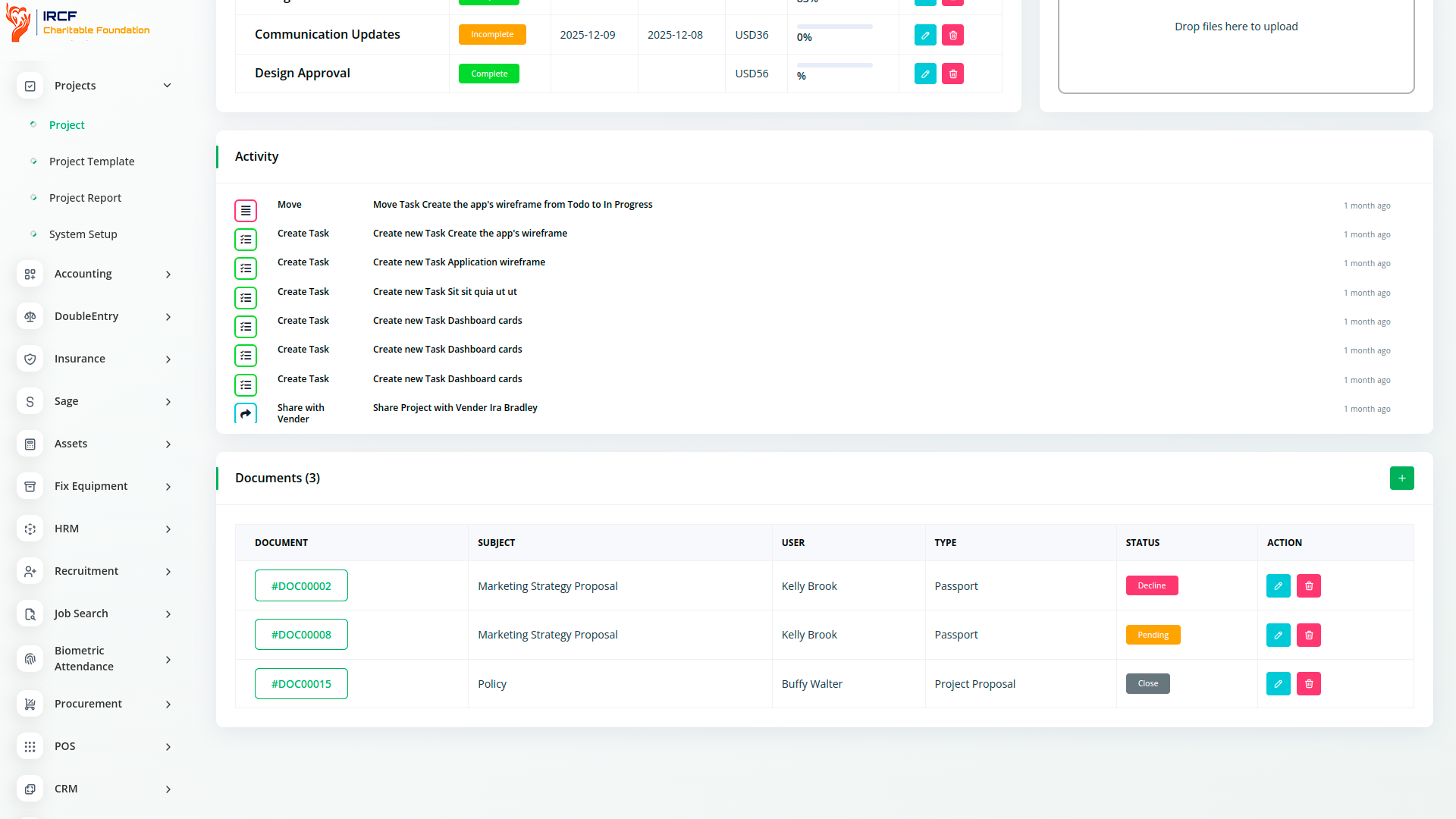
Documents can be manually associated with projects for better organisation and tracking.
While not automated, this linkage allows relevant files — such as budget justifications or correspondence — to be grouped under project entries for review or reporting.
This function improves the documentation flow within IRCF Workspace without duplicating storage or losing version history.
Add supporting files to any document — including PDFs, images, spreadsheets, or media — to ensure all relevant materials are stored together.
Attachments help contextualise content and make collaboration easier by ensuring everyone has access to the same full set of resources.
This feature supports programme transparency and internal alignment without the need for scattered storage solutions.
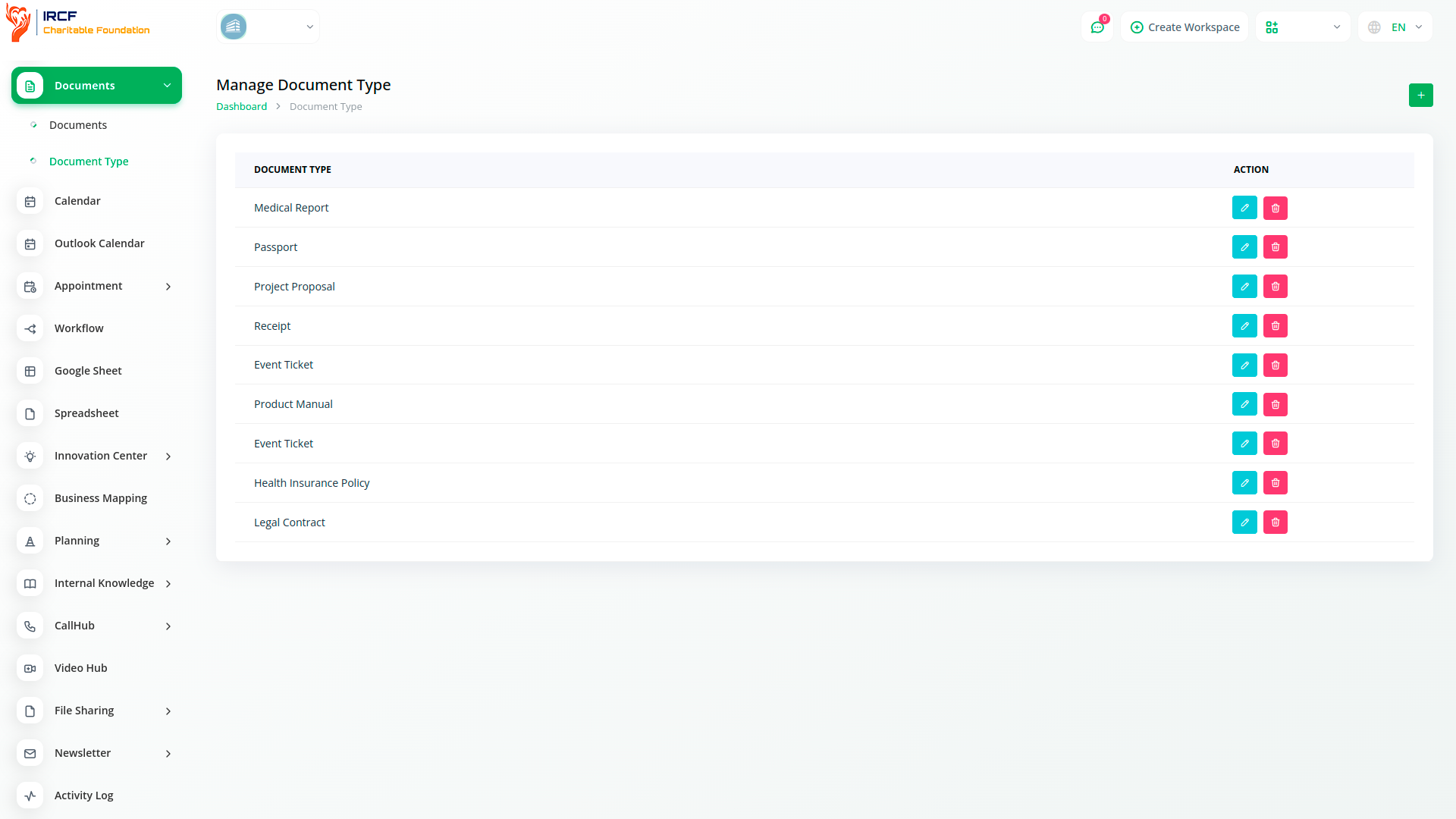
IRCF Workspace’s Documents module centralises file access, strengthens record-keeping, and improves operational coordination.
By integrating features like contextual notes, threaded comments, and manual project linkage, the module enables teams to manage documentation efficiently while maintaining clarity and control.
All files are accessible through one secure interface, helping your organisation maintain continuity, reduce duplication, and improve communication around critical documentation.
Access a full suite of advanced tools for Accounting, Human Resources and Volunteer Management, Fund Disbursement, Outreach Coordination, Internal Communication, Programme Management, and more — all in one unified platform.
With IRCF Workspace, you can conveniently manage all your foundation’s functions and activities from a single, centralised platform.


