
Enable transparent, timely, and inclusive communication across all stakeholders — including beneficiaries, local partners, volunteers, and staff.
The Support Ticket system allows users to submit questions, concerns, or service-related requests through a simple form, while the foundation can monitor, prioritise, and respond efficiently — ensuring clarity, accountability, and responsiveness throughout the process.

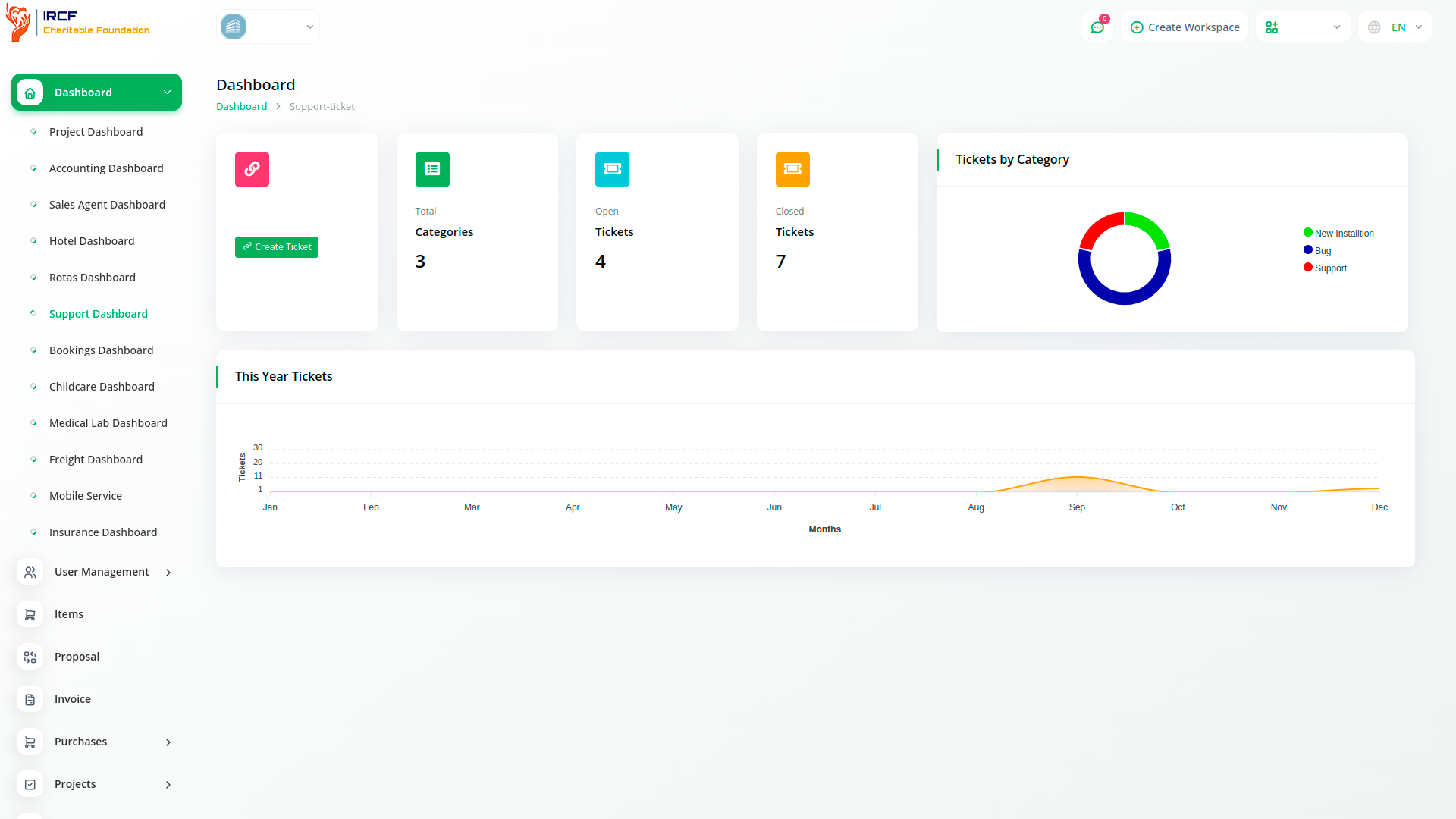
Coordinate all support requests in a single platform designed for charitable and humanitarian operations.
Whether requests originate from community members, field teams, or strategic partners — authorised staff can respond, escalate, and resolve them according to predefined protocols.
The centralised ticket dashboard ensures full visibility, consistent tracking, and structured follow-up across all departments.
Ensure community trust and participation by maintaining reliable communication channels.
Track all open, pending, and closed tickets, assign responsibility to specific coordinators, and ensure follow-up is conducted promptly.
By ensuring transparency in inquiry handling, the platform strengthens trust, builds institutional accountability, and fosters equitable access to support.
Allow anyone — from field volunteers to community beneficiaries — to open a ticket in seconds using a simplified form. Users can select their issue type from a drop-down list, describe the issue, attach documents if needed, and immediately receive a unique ticket ID. The system supports multilingual access, mobile-friendly design, and automatic confirmation to ensure inclusion and accessibility for all.
Monitor and manage all support tickets from one secure interface. Assign responsibility based on topic, urgency, or user group. Enable multiple administrators or support team members to collaborate on resolution workflows with real-time status updates, notes, and reassignment tools. The dashboard offers filters by status, category, and submission date to streamline operations and improve response coordination.
The simplified ticket creation form is designed to be intuitive and inclusive. Users can select an issue type, write a brief description, attach relevant documents or images, and instantly receive a confirmation with a unique reference ID. The system supports keyboard-only navigation, screen reader compatibility, and works seamlessly on low-bandwidth mobile devices — ensuring accessibility across digital and geographic barriers.
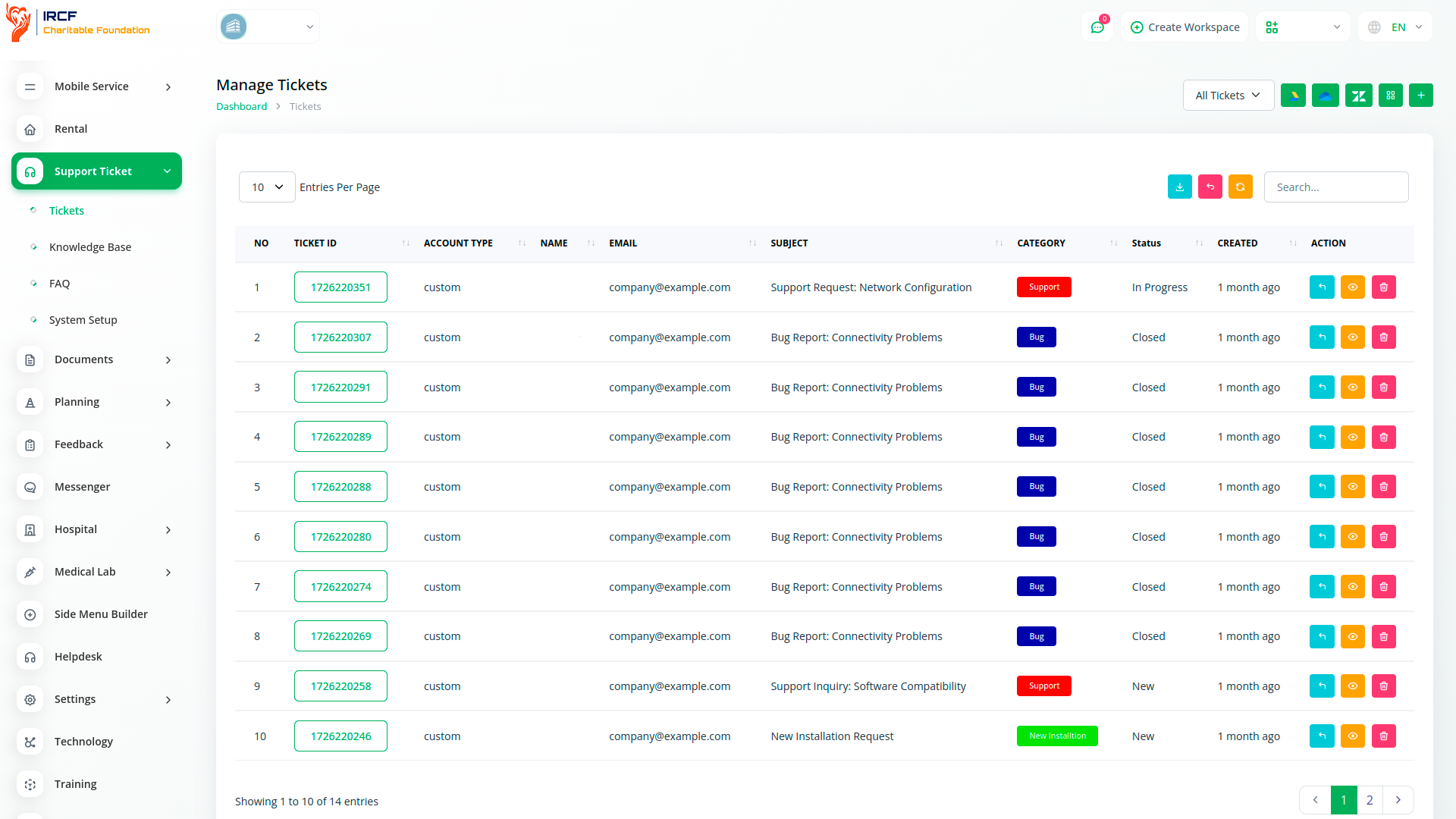
Track open, pending, and resolved tickets with built-in filters by category, location, user type, or assigned staff.
Automatically generate response time analytics, bottleneck s, and volume trends by issue type.
Visual charts allow you to assess overall responsiveness and make data-driven improvements to your beneficiary engagement processes.
Structure your support system by creating thematic categories (e.g. legal assistance, logistics, community safety, access to services). Assign each ticket to a relevant department or focal point and update statuses from "Received" to "In Progress", "Escalated", or "Resolved". Ensure that each case is processed according to urgency, sensitivity, and applicable response protocols.
Gain full visibility into your support system performance, with access to detailed statistics on ticket volume, response time, average resolution time, and staff workload. View charts by ticket type, user group, urgency level, and monthly trends. Export data for reporting to funders, governance boards, or internal evaluation teams to ensure accountability and improvement.
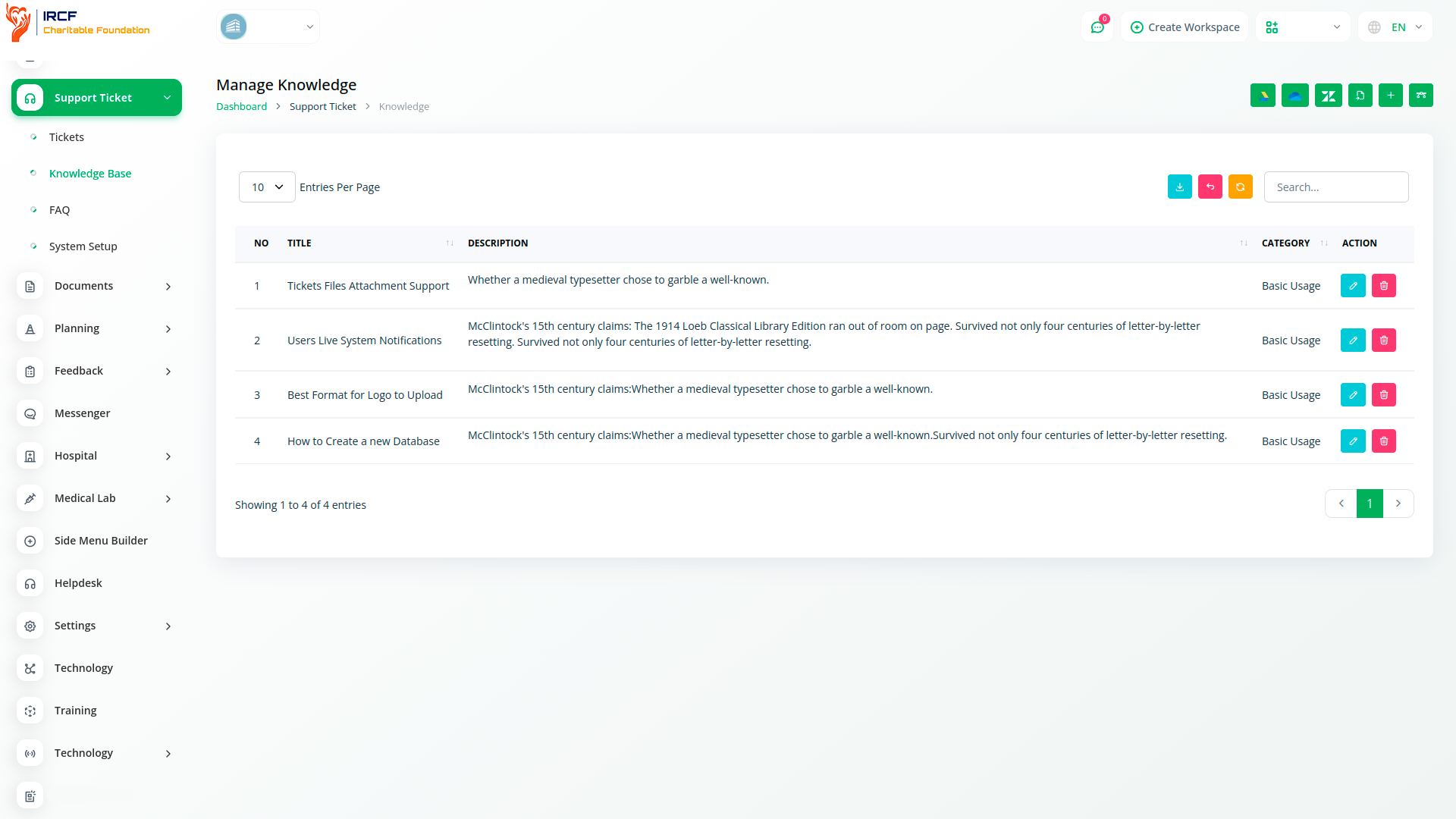
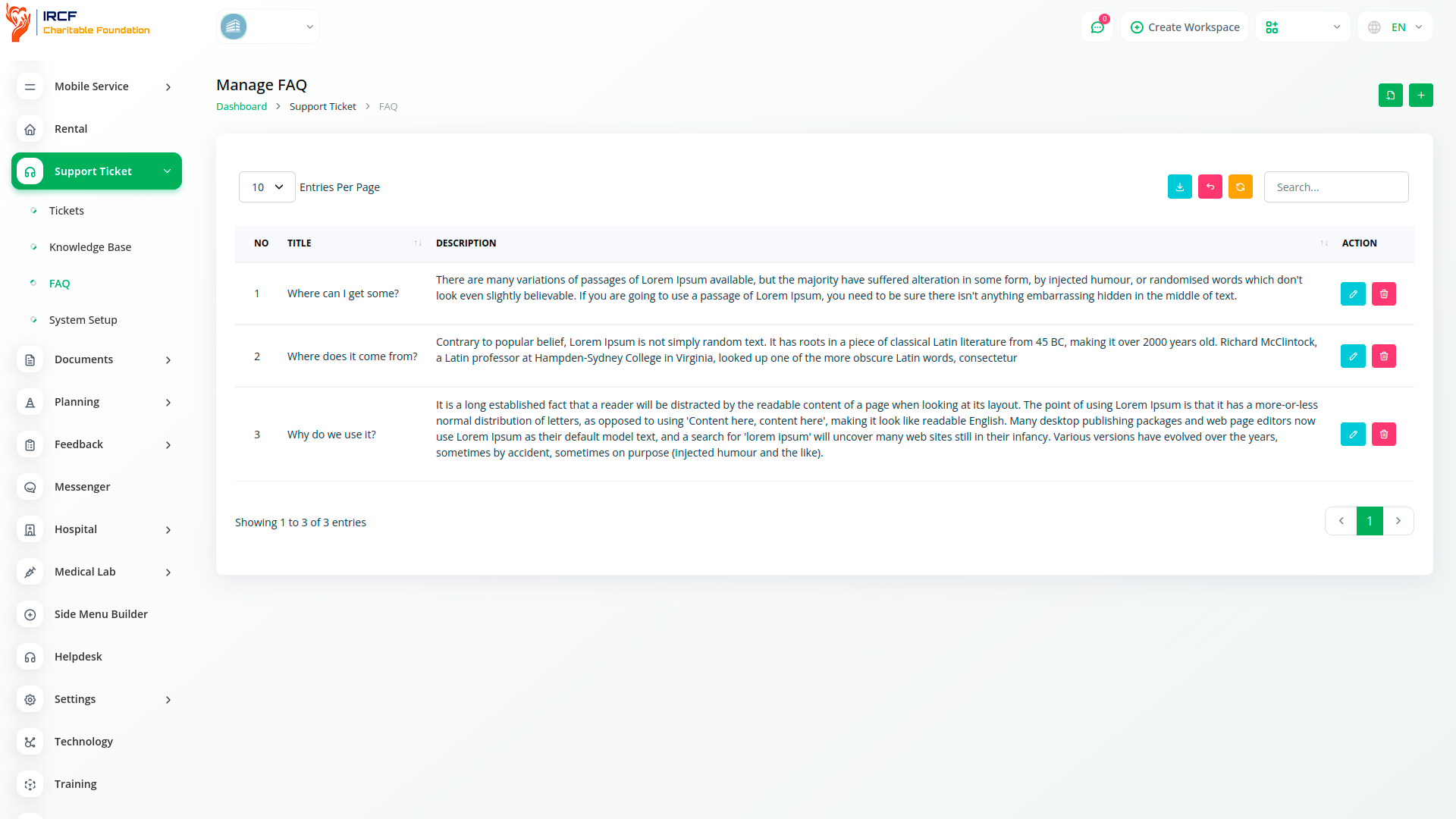
Offer users self-help resources through a flexible knowledge base, accessible directly from the ticket form. Add articles and FAQs in multiple languages, categorise them by topic, and include clear instructions or downloadable documents. Empower users to resolve common issues on their own and reduce support team workload — while ensuring consistency of information across your organisation.
Facilitate real-time and asynchronous communication with beneficiaries, volunteers, and partners throughout the ticket lifecycle.
Each submitted ticket generates a secure, private thread with a unique link, allowing users and assigned staff to exchange updates, documents, or feedback directly within the system — ensuring clarity and continuity in every response.
Users and administrators can track every ticket’s progress via a full activity log: creation time, assigned personnel, actions taken, and resolution notes.
Easily search tickets by ID, topic, or status, and issue follow-ups with automatic notifications.
Support institutional memory and improve service quality through reliable case documentation and transparent records.
The Support Ticket module in IRCF Workspace is tailored to the needs of charitable and humanitarian structures — with multilingual interfaces, inclusive design, and full data control.
Consolidate all communication into one secure system, reduce response time, and demonstrate accountability through structured documentation and accessible resolution pathways.
Access a full suite of specialised tools for Accounting, Volunteer and Staff Management, Fund Disbursement, Outreach Coordination, Internal Communication, Programme Oversight, and more — all in one place!
With IRCF Workspace, you can conveniently manage all your foundation’s activities and administrative functions from a single location.


