The Outlook Mail Integration Module is a secure communication component of the IRCF Workspace, designed to support nonprofit and humanitarian collaboration. It connects directly with Microsoft Outlook through Azure authentication and provides real-time access to essential email folders (Inbox, Sent, Drafts, Junk, Archive) from within the platform. With tools such as threaded message views, HTML composition, file attachments, and folder navigation, this module enables coordinated communication across field teams, partner organisations, and humanitarian programme staff — without leaving the IRCF Workspace environment.

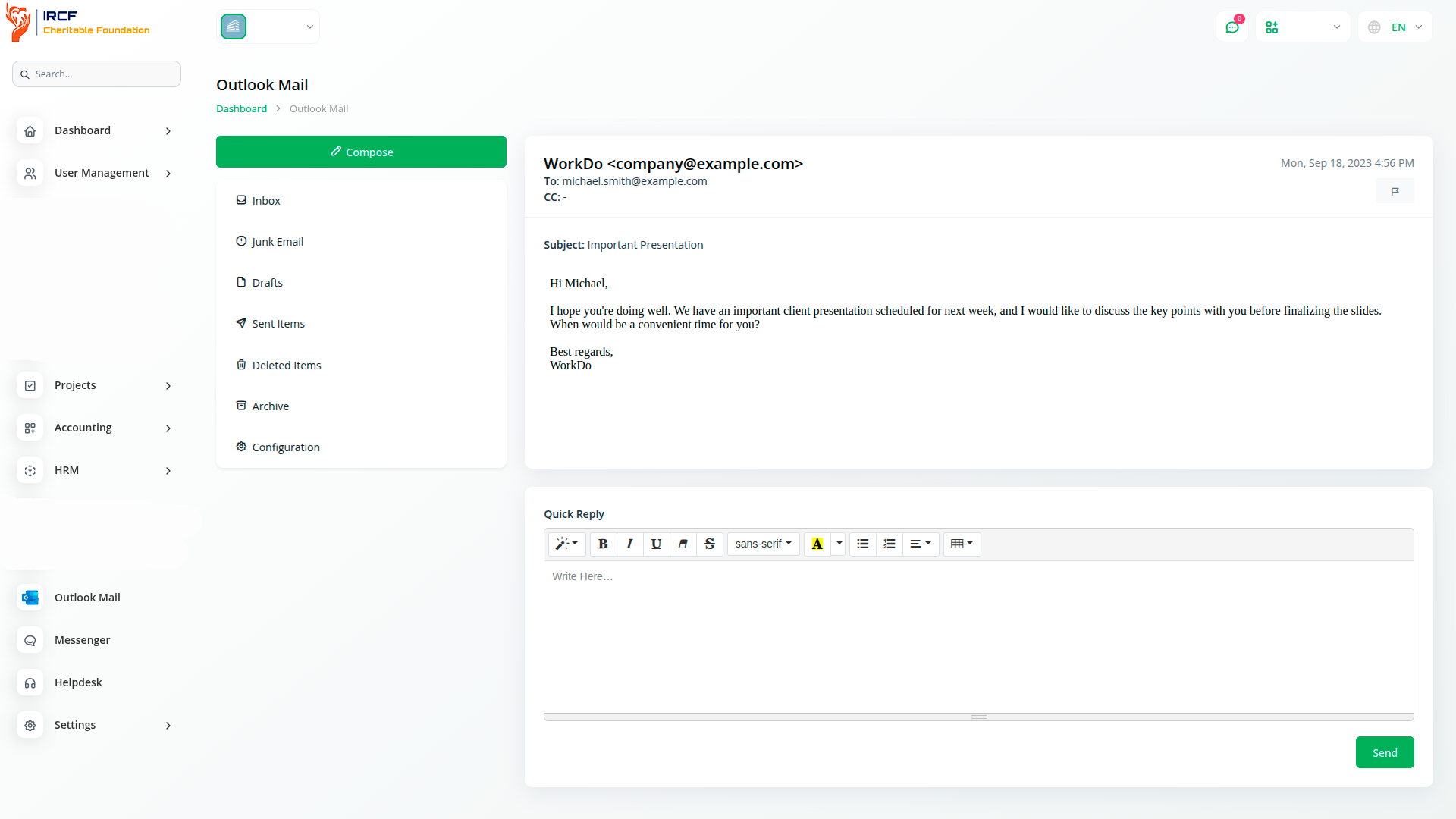
Quickly access your Outlook emails from one secure place inside the IRCF Workspace. With full folder synchronisation, threaded conversation view, and Azure-based login, humanitarian teams can manage correspondence across projects, field locations, and community stakeholders — without switching platforms or compromising data security.
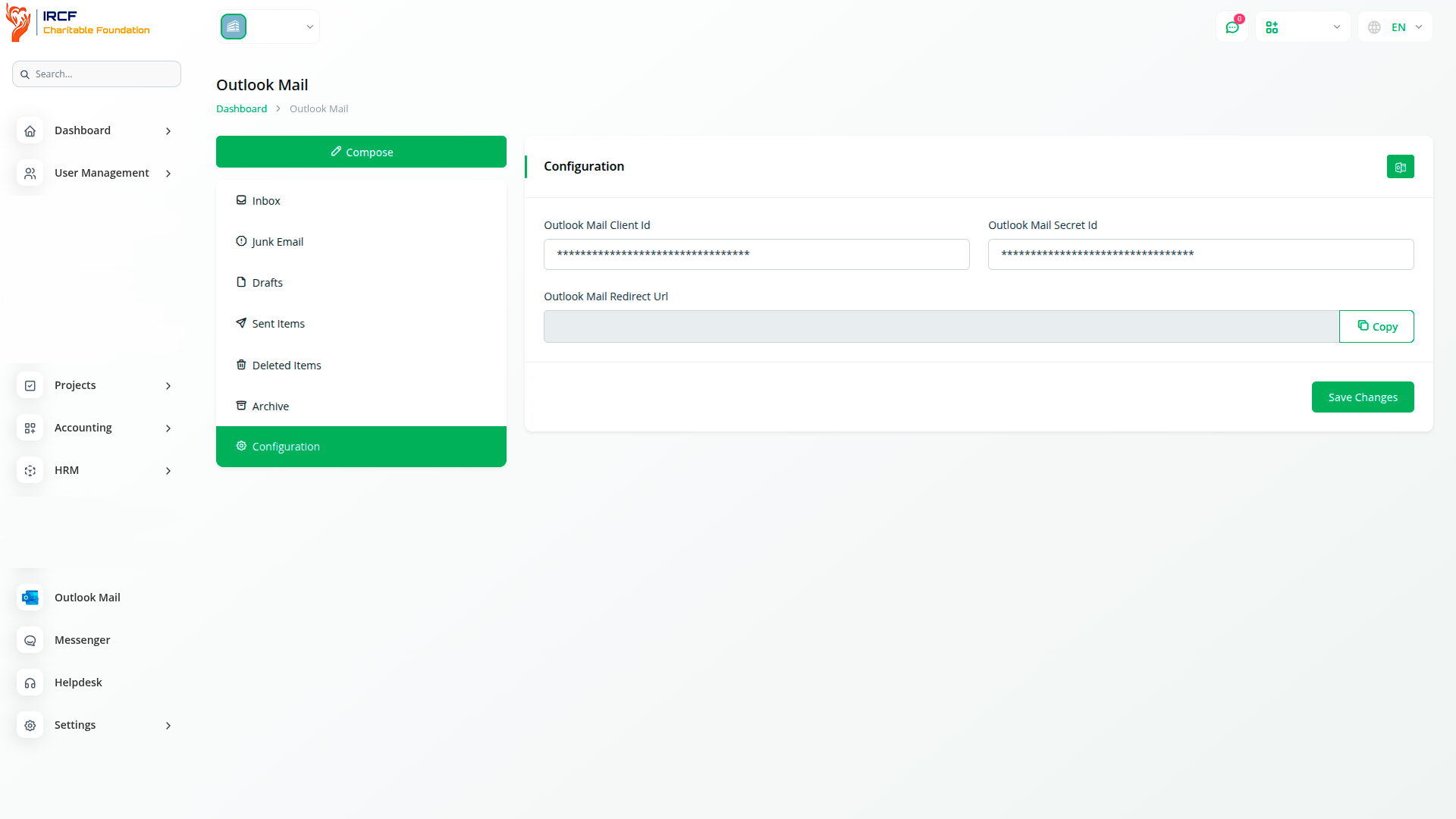
Connect your Outlook account to the IRCF Workspace using secure Azure authentication. To enable integration, enter your Outlook Client ID and Secret ID — available from your Azure-registered application — into the module's configuration panel. Ensure that the redirect URL in your Azure settings matches the platform address. After saving your credentials, click “Generate Token” to synchronise your mailbox and securely begin working with your emails inside the IRCF Workspace.
This step ensures data protection, secure access, and compliance with nonprofit information governance standards.
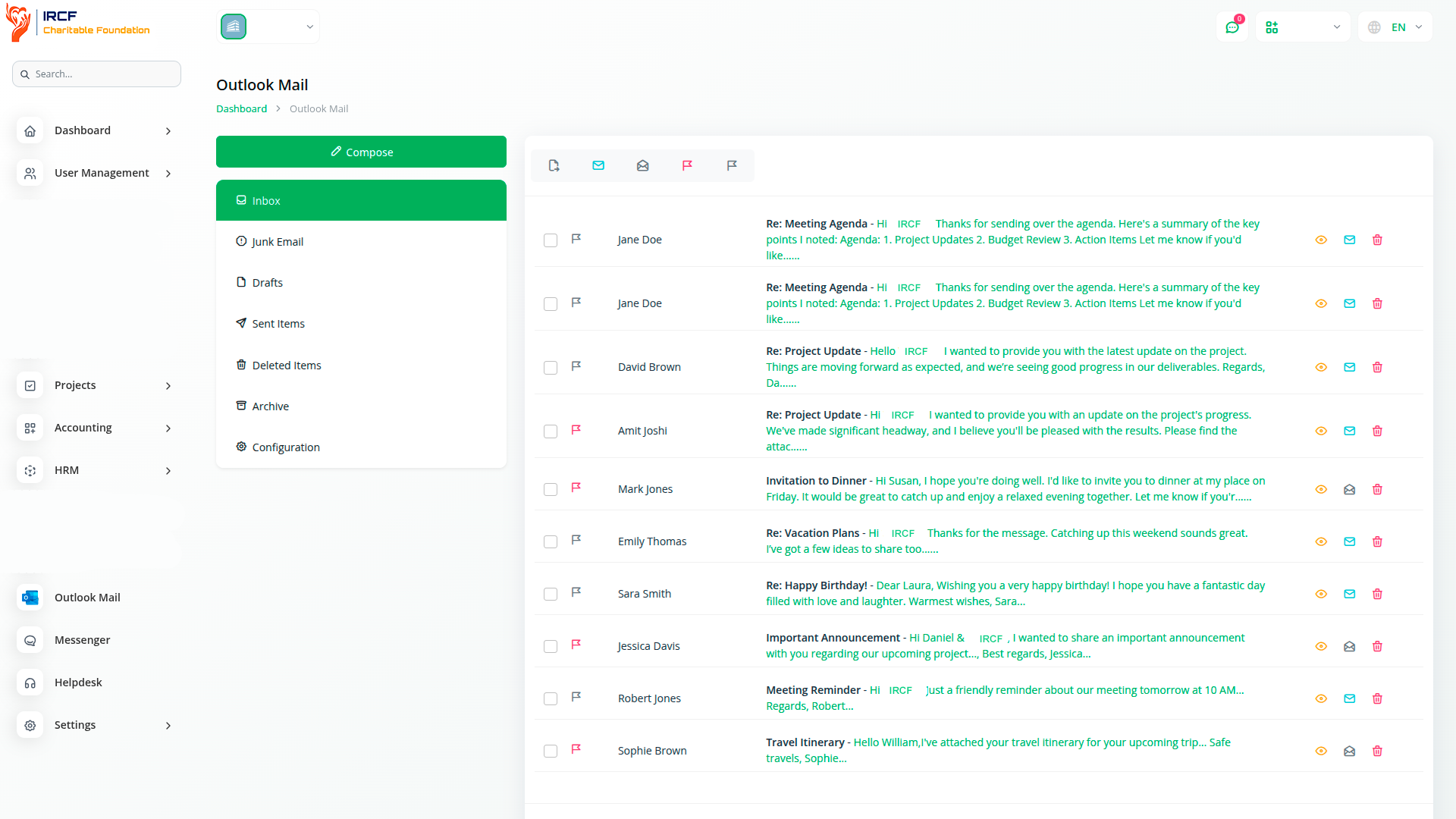
View and manage all your essential Outlook folders — Inbox, Drafts, Sent Items, Junk, Deleted, and Archive — directly from the IRCF Workspace. The system retains the original folder structure, enabling users to stay organised and respond efficiently within their humanitarian workstreams.
From one secure dashboard, users can:
mark messages as read or unread,
flag or unflag key emails,
move messages across folders, and
delete or archive items as needed.
This functionality helps ensure no critical information is missed, improving timely responses between field teams, donors, and community representatives.
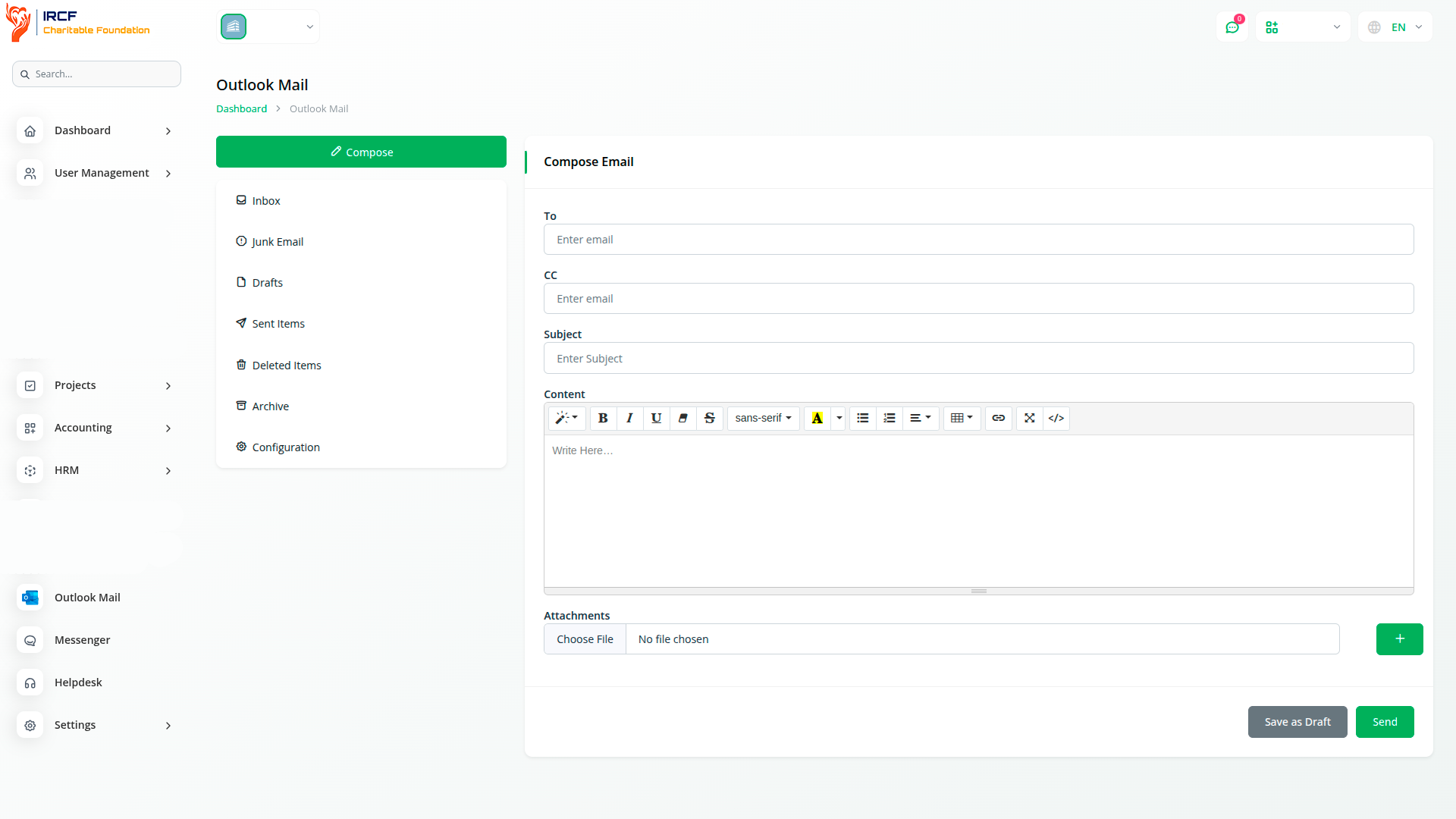
Use the built-in email composer to create structured, accessible messages with full HTML formatting. Fields include To, CC, Subject, and a rich text editor for content — supporting multilingual correspondence and diverse formatting needs.
Key features include:
advanced layout and formatting tools for clarity and accessibility,
support for multiple file attachments (e.g. project documents, reports),
draft-saving, editing, and delayed sending functionality.
This ensures that all outgoing messages — whether to local authorities, partners, or donors — meet communication standards expected in nonprofit and humanitarian coordination.
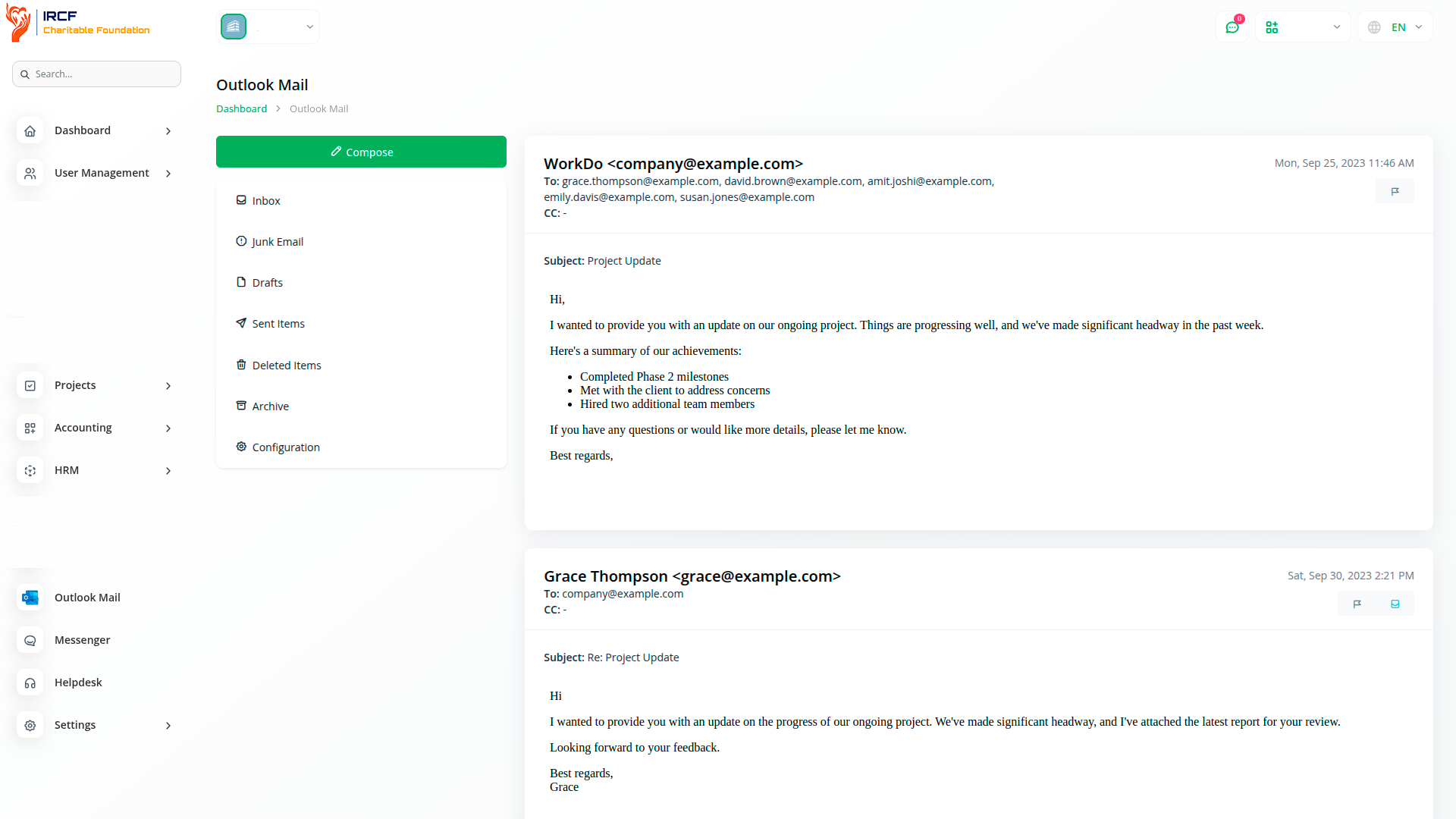
Follow full email threads in an organised, chronological view to maintain message context across humanitarian projects. Each message within a conversation includes action buttons, allowing users to:
flag or unflag messages,
move messages between folders (e.g. Junk → Inbox),
manage drafts individually, and
reply quickly while preserving full thread context.
The quick-reply and reply-all options streamline collaborative communication with team members, local partners, and coordination groups — ensuring continuity in correspondence even across complex, multi-stakeholder projects.
The Outlook Mail module is part of IRCF Workspace’s integrated toolkit, purpose-built for managing humanitarian communication, field coordination, and project accountability. By using this module alongside others — such as donor engagement, grant management, and project coordination — teams can streamline all key operations in one unified platform, without relying on commercial systems or external tools.
It ensures privacy, transparency, and continuity — fully aligned with the humanitarian mission and non-commercial values of IRCF.
Access a full suite of premium add-ons for Accounting, Volunteer Management, Donation Processing, Beneficiary Engagement, Communication, Programme Coordination, and more — all in one centralised platform!
With IRCF Workspace, you can conveniently manage all your organisation’s functions and charitable activities from a single, centralised platform.